Same on my side, I installed it on saturday and it takes x times longer to even open my standard workspace that I use every day. I have to downgrade again but I will sent it to the support, they should know. The more people are writing, the better
1 Like
Total mess this update, had to revert to the previous one. Very slow loading of charts, ended up crashing, next restart it would not load at all, or only one Market analyser window. Support blamed 3rd party copytrade??? that I don’t use (only some custom indicators), reverted back and everything works smoothly, glad I downgraded before the trading session
1 Like
Me. Uninstalled immediately
1 Like
I wonder what’s going to happen when you’re forced to update…
1 Like
Abandon and move to a different platform because my indicators and strategies are slowing it up.
1 Like
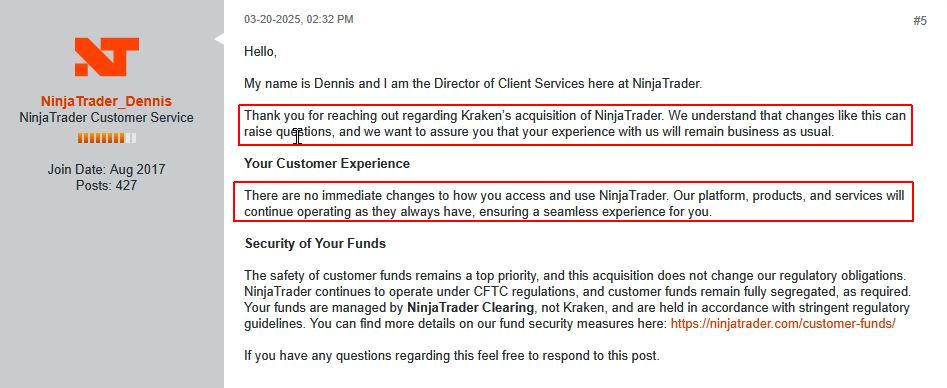
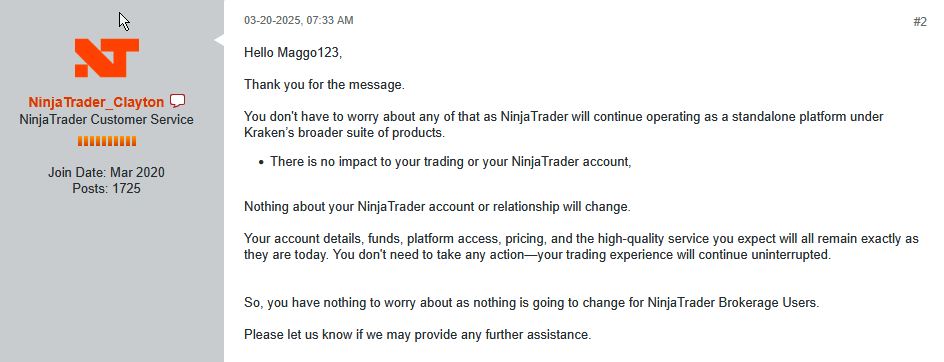
ROFLMAO.
Will start today to study Sierra for a switch. Will also close my trading account at NT if Sierra is OK for my trading. I cannot take the risk to stay with NT8, might cost me a lot of missed profits.
1 Like
That would seriously damage Ninjatrader as many (if not most) will leave NT8. It makes no sense to use a broken product that does not function normally and can make you pile up losses from this malfunctioning.
In every takeover, there are three possibilities:
- the business improves
- the business stays where it was
- the business deteriorates
It looks like Ninjatrader is heading to number 3.
1 Like
I don’t have anything against Sierra, and it’s a very fast platform. But swapping platforms because a NinjaTrader update exposed performance issues usually won’t help if the bottleneck is your own code. Unoptimized C# becomes unoptimized ACSIL, just with different trade-offs. Sierra’s ACSIL (C++) abstracts much of the memory management, but it won’t fix algorithmic inefficiencies. That said, if profiling shows your slowdown is due to NinjaTrader specific runtime changes or engine behavior, Sierra can perform better on some workloads. The smart move is: profile, optimize, then decide if a platform change is warranted.
1 Like
All my own indicators still work perfectly and have never caused any problems. What I don’t like about NT8 is that you cannot rely on it anymore if you analyze the evolution of the “high quality service” since the takeover. I take my precautions now because I don’t want to be in a position that one day NT8 doesn’t function anymore, and I then still have to find another option. Would cost me a lot of time and days/weeks of missed profits. Better be well-prepared. I want a perfect performing Sierra as soon as possible as backup. The future will show me if, and when, I will have to make the switch to Sierra, and use NT8 as backup.
1 Like
7950x 16cores cpu, ram 128gb, gpu 4070, and 8.1.6.0 is unusable, takes 15m to start. went back to old version. thinking about going to sierra.
2 Likes
Ibmr, there is seriously something wrong on your end, then. NT8 did not cause this.
2 Likes
 All those specs and if you can’t get a default NinjaTrader to run then something is not right.
i7-8700K, 32 GB RAM, 2080RTX… zero issues. I bet I can just run integrated graphics with zero issues.
2 Likes
How do you know your indicators are perfect and have no issues? Are they all O(1) or something?
I use them for over 10 years on 4 different (consecutive) computers. Upgraded each time to the next version of NT7 and NT8. Never had any problems at all. Calculated values are always correct, did check that with an Excel version. And performance is very good.
I don’t see any issues, so there are no issues.
The only issue I ever had was the switch from NT7 to NT8. NT7 version of my indicators were not compatible with NT8 and had to be adapted/rewritten. But that problem was known in advance.
My only fear is what will happen if the next upgrades would crash due to poor programming from Ninjatrader?
3 Likes
For those people experiencing bad performance, have you checked to make sure your NT profile resides on the local drive and not OneDrive?
2 Likes
I didn’t ask if your code calculated correct values. I asked if it was highly optimized. Even poorly optimized code can calculate correct values. I’m most positively sure it’s not poor programming from NinjaTrader. They most likely run their code through extensive testing before release like most production level software. It’s very likely its poor programming from individual and third party addons. I’m not defending NinjaTrader. All I’m saying is most individual and third party code are poorly optimized and unfortunately stopped scaling well with the new updates. If you don’t understand what O(1), O(log n), O(n) are then you most likely fall into the category of having less optimized code. Even if you do understand, you might not implement it. You can’t say your performance is very good without understanding them. I have lazy code all over that are poorly optimized (not personal code though). If it were poor programming on NinjaTrader’s part, then everyone will have issues.
4 Likes
This is what Ninjatrader says:
Also it’s important to understand that a resource heavy NinjaScript could be meaning:
a) the NinjaScript may not be coded as efficiently as possible and would be worthwhile to review if everything has been done to achieve optimal performance
b) …
And these are the numbers for a 10 minute test, all windows and charts open and running.
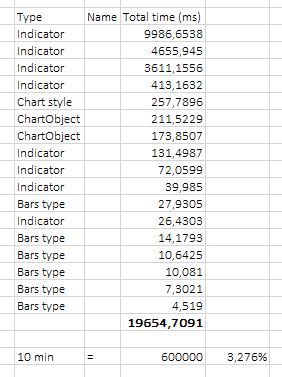
CPU usage less than 4%. So I think that my indicators are fairly good optimized. Surely good enough to avoid lagging or overheating processors.
1 Like
Great! You posted an image of how much CPU time NinjaTrader spent executing your indicator. So… of those indicators, which functions are scaling constant time? What about those that are scaling linearly or quadratically? Your code is flawless, so it’s NinjaTrader’s fault. Just move on to Sierra Charts.
previous version starts in 1-2 minutes, last version has some issues on my setup. sorry but i have no time and interest to build new workspace from scratch after each update. i have my charts already optimized to run fast. will stay with old version for now, ignoring 8.1.6.0.
2 Likes
It’s been very slow in starting up and bringing up all my charts…like slooow!
2 Likes