I didn’t install it yet but some interesting additions.
2 Likes
Woo! C#13… now just upgrade to a modern .NET.
1 Like
Has anyone found 8.1.6.0 to be VERY slow? Both starting up and adding strategies/indicators to the charts?
3 Likes
I’d caution against upgrading - see post by Henry_Dean_III on his experience and subsequent ‘Support’.
Unlike Henry who has a raft of custom stuff, I have only one 3rd-party indicator (coded by Harry @Lizard & error-free) & a couple of utilities (ChartLag & TickRefresh - again, both error free & light on resources).
Installed .16 on Friday. Unhandled exception on launch, don’t know what. ‘Felt’ it was slower to load. Opened Trade Performance workspace - Unhandled Exception & unable to populate TP window. Closed TP window & new window, resolved.
Whilst trading got the dreaded chart lag. Hmmm, haven’t seen that since…… see later below 
Being a good Community citizen, I thought I’d take the time to report the Errors to Support ‘FYI’ (I didn’t need Support as closing the pre-existing Trade Perf window & new one resolved it but thought they may be interested & fix - thus preventing disgruntled Users).
AI boilerplate garbage reply.
Told them so, more AI boilerplate garbage
(the usual ‘it’s your 3rd-party indicators, too many charts etc except now it’s dumb and automated rather than just dumb. No it’s not, it’s your platform update).
In Release Notes ‘fixed an issue with three Sessions on a Saturday’ caught my eye. Why? After years of battling chart lag, I would still occasionally have a problem & narrowed it down to only with NQ. All my charts are basically the same. Accidentally I found that my Custom Trading Hours template was the ‘culprit’. Lo & behold it had multiple Sessions including Saturday. Changed to 2 Session & EOD Friday - no lag since (there was nothing ‘illegal’ wrt to Sessions or the Trading Hours template I was using).
However, as luck would have it, on Friday an error msg from Harry’s indicator ‘can’t use without EOD’. But I have EOD…. Reload chart template & all good. Nothing has changed in my setup in several years. Do I suspect Ninja’s ‘fix’ for Trading Hours Saturday, v16 update and a newly introduced ‘EOD error’ from an indicator which has performed flawlessly for 8 years may be connected? You bet I do.
I’m fairly confident in my belief that .16 takes longer to load at startup than .15 which imho & all the above is not a healthy indication, so I’ll be rolling back for the time being. Serves me right for breaking my own rules installing the latest update upon release.
It was nice to see they’d fixed an error they’d introduced in .15 which I reported, whereby it would no longer print Landscape, but I fixed that myself by finding a different driver. I don’t get the hours of my life lost to this sh*t back though 
Same old Ninja
3 Likes
Yup on both counts, and chart lag. See next post….
2 Likes
Yes, me too! It was taking 6 minutes to open to the control center. Once open another 5 minutes to a workspace. It use to be 30 seconds or so for both. I thought I had a bad install so I uninstalled NT8, after backing up my workspaces and third party indicators, and did a reinstall. It is much better opening now but when I uploaded my workspaces I lost all the drawings I had drawn for support resistance zones, etc. So I sad no big deal I will redraw. Now I notice if I draw say a rectangle on a 30 minute chart and select attach to “ALL” it does not show up on all. This has been a complete headache.
2 Likes
Update, I uninstalled 8.1.6 and installed 8.1.5.2 after getting advice from Ninjatrader support reply. The opening of control center is fast 30 seconds and the opening of workspace is normal. However, I still lost all previous drawings. I notice when you create a drawing and select attach “All” it will attach to other charts within the same workspace. Before it would attached to other named workspace. It seems now that the attach “All” works only within the same workspace. Could be minor. I have contact support. We will see.
1 Like
Did you try starting it without any indicators? I don’t have any issues and have personal indicators on.
I didn’t but that’s really unrealistic. Even enabling a strategy is painfully slow.
2 Likes
I downgraded to v8.1.5.2 and all is back to normal as well
3 Likes
wow that’s crazy.
It’s better to email scripting support and tell them to pass it onto the dev team. I’m not entirely sure the difference between scripting support and the dev team but at least you get a reply from one of the old staff from the old forum there.
1 Like
There were no indicators - 3rd-party or otherwise - in my Trade Performance workspace/window nor anything using any. Just executions, P&L etc.
#Ninjagarbage. ‘Twas ever thus. Same old, same old. Except now no Support other than AI Botgarbage
2 Likes
If you really want to measure your chart lag and performance where you can quantify it between the two releases (which is probably going to hold more weight) you can always install this free add-on https://ninjatraderecosystem.com/search-results/?fwp_search=xabcd%20performance
1 Like
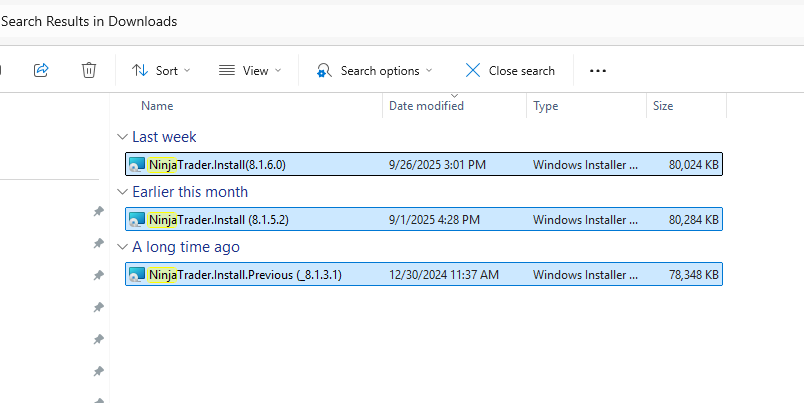
I installed on multiple machines. I have not seen an issue. I have 8.1.5.2 installer ready if I need to go back.
1 Like
I did videos NinjaTrader 8.1.6 - #7 by Matthew_LaRocco
1 Like
What do you mean unrealistic? I’m assuming unrealistic to try it without indicators? If you do it without indicators or strategies and it runs fine then you just ruled out that it was an indicator or strategy. The strategy that you enabled can possibly not be optimized (example, having a collection exponentially grow and having a bar check on that list every tick) or rely on tick replay, which will make it slow. I bet most people that code these indicators and strategies have no clue about the time and space complexity. I have things on NinjaTrader that I don’t care too much about either when it comes to that, but depending on what it is, it will matter.
1 Like
I think it’s unrealistic that I would have to start the platform with no indicators or strategies just because of some change that NT made. I know of no other platform that I have ever had to do that with. I sure hope you’re not a NinjaTrader support person, because that is no solution to this issue, and it is an issue, people are posting the slowness as well as other issues. You can’t blame indicators or strategies that have worked fine for years and now have issues.
3 Likes
Not a NinjaTrader support person here. Just been helping out and answering questions. Upgrades can definitely make previously “fine” indicators all of a sudden feel slow due to changes in runtime, rendering, data handling, garbage collection behavior, thread scheduling, etc. I bet many custom NinjaTrader indicators and strategies do expensive work, allocate a lot and scale poorly, including some I have and don’t really care too much about. When the platform changes, those issues just become more visible.
If NinjaTrader runs fine without any indicators or strategies and all of a sudden it doesn’t with those indicators or strategies then its probably the indicators or strategies. I code my own strategies and indicators and have zero issues. However, it seems that the common denominator are indicators or strategies people have, which I bet are poorly optimized.
4 Likes
100% agree with Walee above. There are so many ways you can shoot yourself in the foot if you don’t know what you’re doing with NT.
I’m not a software engineer, but I’m no stranger to writing code either. I studied structured programming and have been writing code in one language or another for at least two decades. When I realized NT had a programming interface and I could write my own custom tools, it was a no-brainer. However, just because you know how to write code, it doesn’t mean you know how to write proper NinjaScript code. There are so many nuances and platform specific things that you need to be aware of with NT. There are many ways you can do things inefficiently in NT and cause headaches with the platform. So don’t automatically knock the platform. Most of the time, it’s the sloppy third party code that sabotages the platform.
I often need to go back and look at some of my old NT scripts from many years ago and shake my head in disbelief how clueless I was. And I’m sure there are still things that I’m clueless about now. It boggles my mind that people think they can ask AI to spit out some code that they can stick into NinjaScript and think it’s going to work and work efficiently..
It’s easy to cobble together code, especially nowadays with AI. But it isn’t trivial to write good efficient code that works well - EVEN with AI.
4 Likes