To NinjaTrader Management,
I have been a NinjaTrader customer since approximately 2000, going back to the Version 6 days. After more than two decades on this platform, I am beyond frustrated that I am still experiencing the same unresolved disconnect/reconnect issue that has persisted for the last four years.
As recently as yesterday afternoon, I experienced another disconnect. This morning it happened again at approximately 9:30 AM and 9:40 AM. The connection drops briefly and immediately reconnects, but even a one-second interruption during live trading is unacceptable.
Over the past four years, I have spent countless hours attempting to resolve this issue. I have replaced internet equipment, changed service providers, upgraded hardware, rebuilt systems, and followed every recommendation provided by NinjaTrader Technical Support.
At one point, support suggested that my automated strategies and indicators were the problem. I removed them. Then I was told to start over. I did. Then I was told to rebuild my workspace. I did that as well.
About a month ago, after exhausting every other option, I completely wiped my dedicated trading computer and started from scratch:
• Fresh installation of Windows 11 using a local account.
• Complete removal of NinjaTrader.
• Fresh installation of the latest NinjaTrader release.
• No third-party indicators.
• No automated strategies.
• No legacy configurations.
Despite all of this, the disconnect/reconnect issue continues.
To verify whether the problem was on my side, I tested other trading platforms using the same hardware, network, and internet connection. Those platforms did not experience the same disconnect issues. The common denominator remains NinjaTrader.
For four years I have invested time, money, and effort attempting to troubleshoot a problem that should have been properly investigated long ago. Instead, I have repeatedly been directed through the same cycle of generic troubleshooting steps while the issue remains unresolved.
At this point I am no longer interested in being told to reinstall software, remove indicators, reset workspaces, or repeat procedures that have already been performed multiple times. I am requesting that this issue be escalated to the appropriate engineering personnel for a serious investigation.
I have remained with NinjaTrader for over twenty years because I genuinely prefer the platform. However, loyalty has limits. If a stable solution cannot be provided, I will have no choice but to migrate to another platform despite the inconvenience of doing so.
I expect a substantive response and a genuine effort to identify the root cause of this ongoing issue.
Hi @Stickman, If you haven’t already, make sure you email this letter directly to support@ninjatrader.com since NinjaTrader, Inc. representatives do not officially monitor these forums.
Done. Thanks@Quagensia
That is great to hear @Stickman. I wish you the best with getting a favorable resolution to this persistent issue you’ve been experiencing. I read your letter and I found it compelling. You included the kinds of details that a NinjaTrader engineer would be able to look at and say “This might actually be a real issue, not user error”, which is extremely important as I am sure that they also get a lot of bug reports that really are user error. Just in case you haven’t seen reports of issues similar to yours in this new NinjaTrader forum, note that I have seen some other reports similar to yours. You might want to reach out to the authors of those posts to see if they figured anything out. Best regards, Brook
Hi @Stickman ,
If the problem were with NinjaTrader, we would all be experiencing it. If you’re connected via Wi-Fi, the most likely cause is a problem with your data connection. There could also be a conflict with another application/device sharing the network connection. Try using Ethernet.
If you can’t do that and you’re stuck with Wi-Fi, ask an AI about ways to check the integrity of the data transmission. Here’s a response Claude gave me for the same issue.
Checking Whether Your Wi-Fi / Network Is Compromised — Windows 11
Separate two things: the network (router / Wi-Fi) and the PC. Most suspected “Wi-Fi hacks” turn out to be signal or ISP problems, so go after concrete evidence.
Part 1 — From the PC (PowerShell or CMD, run as Administrator)
1. Check the actual encryption in use
netsh wlan show interfaces
Look at Authentication and Cipher. It should be WPA2-Personal or WPA3 with CCMP/GCMP. If it shows WEP, TKIP, or Open, that is your vulnerability.
2. Detect an “evil twin” (rogue AP broadcasting your SSID)
netsh wlan show networks mode=bssid
If your SSID appears with multiple BSSIDs that don’t match your own router and repeaters, be suspicious.
3. Check for DNS hijacking — the most common sign of a compromised router
ipconfig /all
Get-DnsClientServerAddress -AddressFamily IPv4
DNS should point to your router (192.168.x.1) or to a resolver you configured yourself. An unfamiliar DNS server means the router has been tampered with.
4. See who else is on your LAN
arp -a
Get-NetNeighbor -AddressFamily IPv4 | Where-Object State -ne "Unreachable"
Cross-check the MAC addresses against your own devices. The OUI prefix (first three bytes) identifies the manufacturer.
5. Inspect outbound connections from the PC itself
netstat -bano | findstr ESTABLISHED
Get-NetTCPConnection -State Established | Select LocalPort,RemoteAddress,RemotePort,OwningProcess
Resolve each PID in Task Manager. Look for processes you don’t recognize talking to unfamiliar IP addresses.
6. Generate the Wi-Fi connection history report
netsh wlan show wlanreport
Creates C:\ProgramData\Microsoft\Windows\WlanReport\wlan-report-latest.html covering the last 3 days: disconnects, reassociations, authentication failures. A pattern of repeated deauthentications can indicate deauth attacks.
7. Review saved profiles and keys
netsh wlan show profiles
netsh wlan show profile name="YourSSID" key=clear
Confirm there are no profiles you didn’t create, and that the machine isn’t set to auto-connect to open networks.
Part 2 — From the router (this is where the real answer lives)
- DHCP client list / connected devices — count the ones you recognize. Many routers also keep a history.
- Event log / system log — admin panel login attempts, inbound WAN connections.
- WAN DNS settings — should be your ISP’s, or one you set yourself.
- Port forwarding and UPnP — any rule you didn’t create is a red flag.
- Remote administration (WAN) — must be disabled.
- WPS — disable it; it’s the classic vector for cracking the Wi-Fi key.
Part 3 — If you find something (or just as good hygiene)
- Change the router admin panel password (not the Wi-Fi key — that one is secondary).
- Change the Wi-Fi key and force WPA2/WPA3-AES.
- Update the router firmware.
- Disable WPS, UPnP, and remote administration.
- If you’re strongly suspicious: factory reset and reconfigure manually.
- On the PC: run an offline scan (
Windows Security → Virus & threat protection → Microsoft Defender Offline scan).
Practical note
MAC address filtering is not security — MACs can be cloned in seconds. Hiding the SSID doesn’t help either. The only things that actually protect you are WPA2/WPA3 with a long random passphrase (20+ characters) and an admin panel secured with its own distinct password.
Really @cls71 ??? After 20 years with NT??? 4 Years of this issue? Please re-read what i posted. I know better than to use wii-fi or wirelss devices. Thank you.
Finally I’m switching trading platforms.
The adventure I went on trying to fix this issue on my laptop… I thought it was just me!
I had the same problems..until…my computer “guru Buddy” told me it is…the “One Drive” function. I thought he was “nutz” . He was “100% Correct”. It is involved to get it out of Ninja. That is what was knocking me out.. TRY IT..it may correct the Nightmare you are having..Best of Trading.
don’t use one drive or cloud

If you haven’t COMPLETELY uninstalled OneDrive from your computer running NinjaTrader, you simply like pain. There’s no excuse for leaving that running. Same goes for Acronis Active Protection as well as MalwareBytes. Nothing but trouble, one time after another after another.
Hi @Stickman - I have never allowed OneDrive on my computer since I first built it and installed Windows 10. In addition to my documents folder, I use a NAS to backup all my files locally.
I have a very optimized computer just for trading and I too have disconnects/reconnects to the “Live” connection at least once a day at various times. It has nothing to do with OneDrive, my router, or some ghost in the machine.
I have run a program called PingPlotter to collect ping, traceroutes, and packet loss that I have run during trading hours to check the IP numbers I am connected to. It is NinjaTrader. The packet loss is brief, but just enough to register when doing 1 second pinging on Ninjatrader IPs.
Since there is nothing I can do. I just have chocked it up to Ninjatrader or my Internet provider since it is such a minor interruption and resolves itself immediately.
~Robotman
This is all very interesting.
One reason I’ve been experimenting with an old trading computer that I installed Linux on. While the NinjaTrader platform running through Bottles would likely still have the same issue, OneDrive trying to silently upload/configure files to the cloud would not.
I have never logged into OneDrive on either my newer trading computer or my everyday computer. Both use local profiles and are not registered with Microsoft 365 accounts. However, when I checked my personal computer, I discovered that OneDrive was actually syncing my Pictures folder and onef other folder.
After reviewing the information in the video that @marcus and others shared, I completely remove OneDrive from both computers.
And yes, @robotman, what you’re describing is exactly what I’ve been experiencing on my trading computer.
Thank you all for your help!
I’ve had the self same issue. working with my VPS (CheapForex) we used “pingpath” to identify the problem was in New York (NT servers). there was nothing we could do beyond that point. have have just deleted OneDrive. we’ll see if that works. one other point - my algo uses an indicator not listed in NT’s catalogue - Relative Momentum Index.
Try the Ninja Watchdog addon, it’s the only thing that’s helped me with NinjaTrader disconnections.
Same disconnection issue here, i’ve been coding my strategies with claude and there hasn’t been a single day where the Ninja connection hasn’t disconnected at least once. This is both on my home computers and VPS from multiple different providers. I suspect Ninja is just not capable of staying connecting for a full 24 hours anymore with their Tradovate adapter connection, this is was claude thinks compared to how good it was with the old continuum connection which i left on all week and never disconnected.
I think at this point the only thing to do is not try to never get disconnections, because daily disconnections are just the reality, so instead with that NInja Watchdog tool I’m focusing on automatically reconnecting after a disconnection instead
If I have disconnections, within 1-2 seconds NT automatically reconnects.
Like these disconnects? They are a problem. This is on a cloud server with adequate RAM and Bandwidth. I’m getting very fatigued. It’s not the server; not the LAN/WAN connection. It’s Ninja.
My other brokers (IBK/TOS) disconnect on occasion, but it’s a quick recovery.
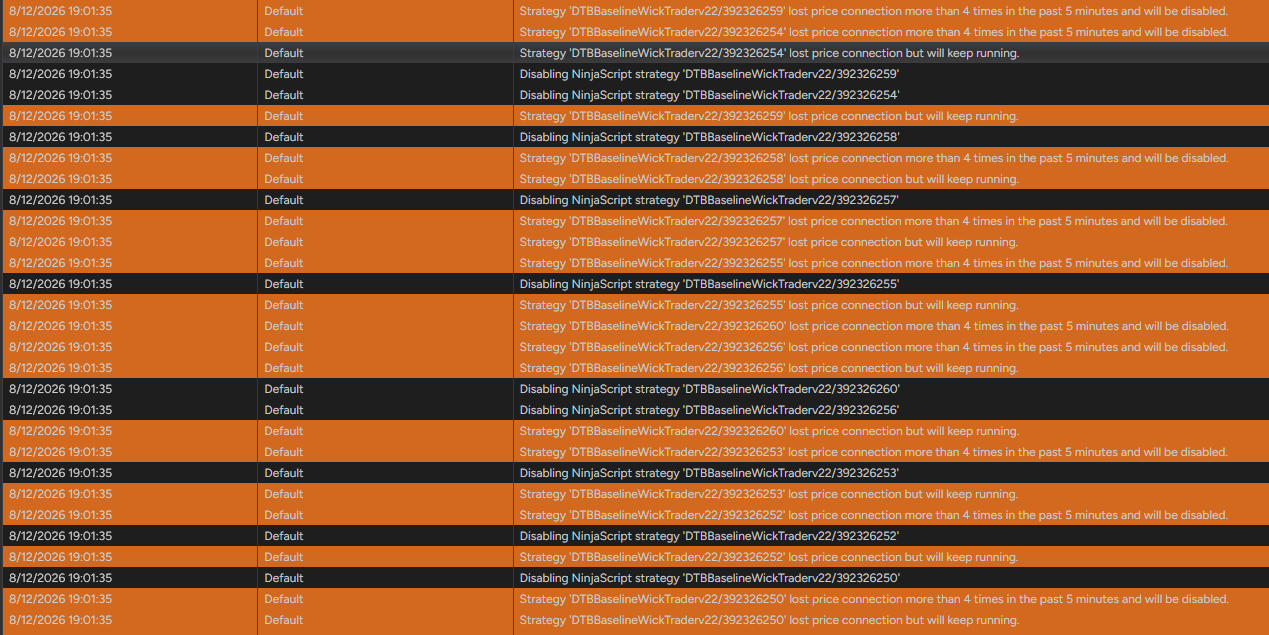
No, just 1 second disconnections with automatic reconnections.
Happens some days 1-4 times and sometimes a whole week not a single one. Really random.
This happens to be very routinely, every day.
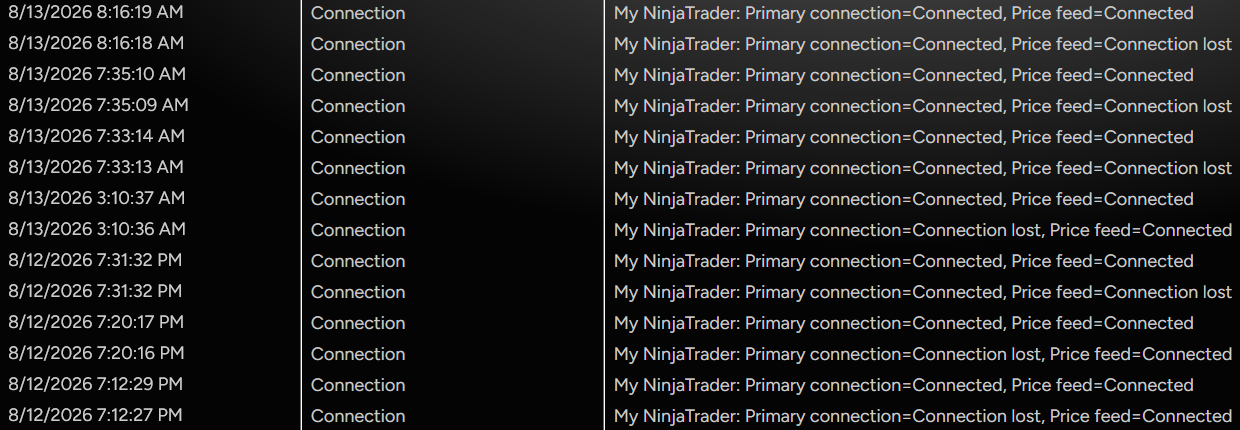
This is on a machine with ample CPU and memory and a high-speed connection. I should note that it always reconnects automatically, usually in one second.
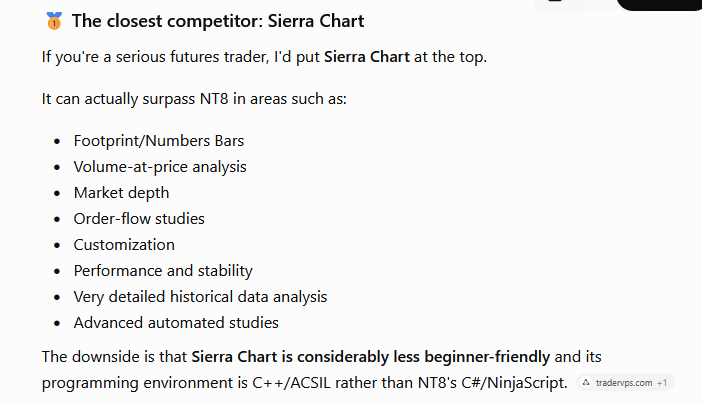
what is the alternative to Ninjatrader guys ? All my code / indicators/ strategies are in c# . .with obfuscation in place . .. i want to be able to do the same on another stable platform. Please let me know if anyone has alternatives. .