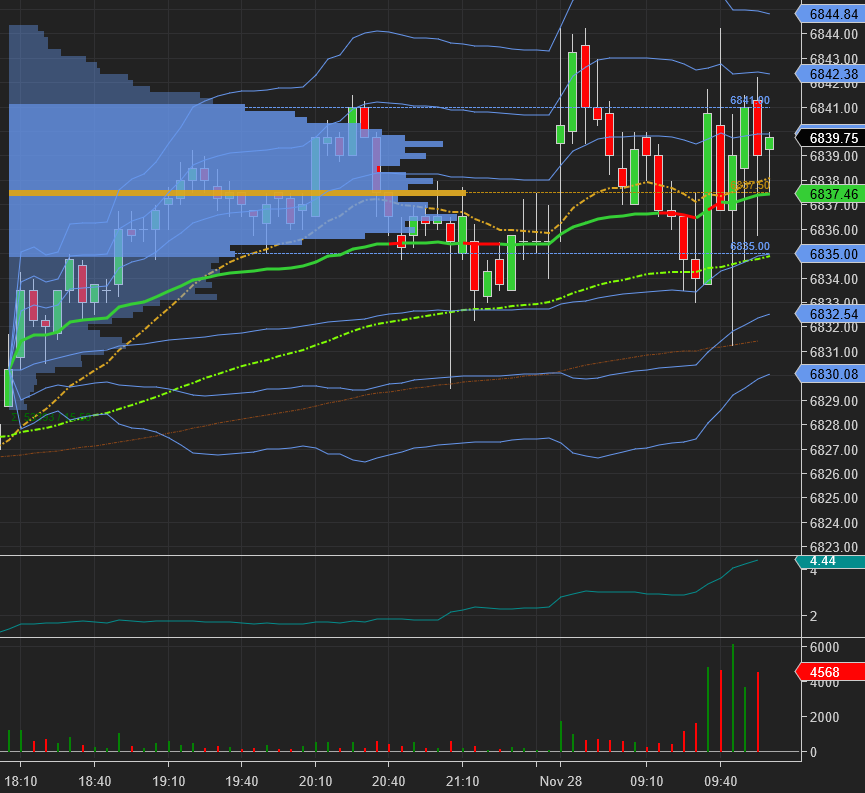
The times at the bottom of my chart end at :10 and :40 instead of on the hour and :30. How to fix this? Please see bottom of screenshot.
1 Like
Are these 5-minute bars?
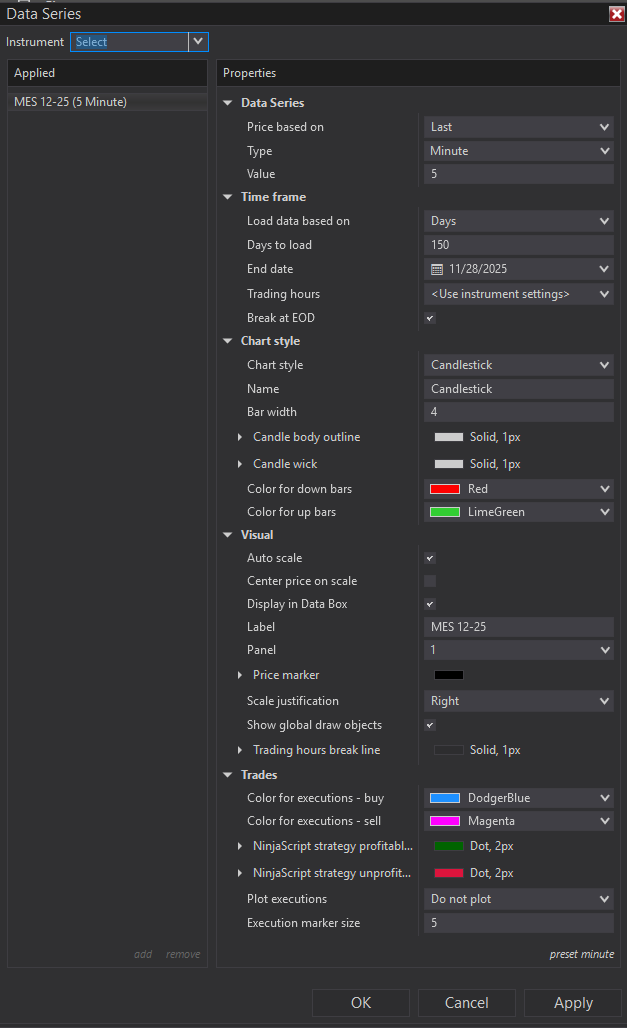
What is your ‘Load data based on’ set to?
Right click in that chart, select ‘Data Series’, expand that dialog to show as much as possible, then take a screenshot and post it here.
Yes 5-minute bars. Seems to have happened after trading halted last night. Where do I see the ‘load data based on’ setting?
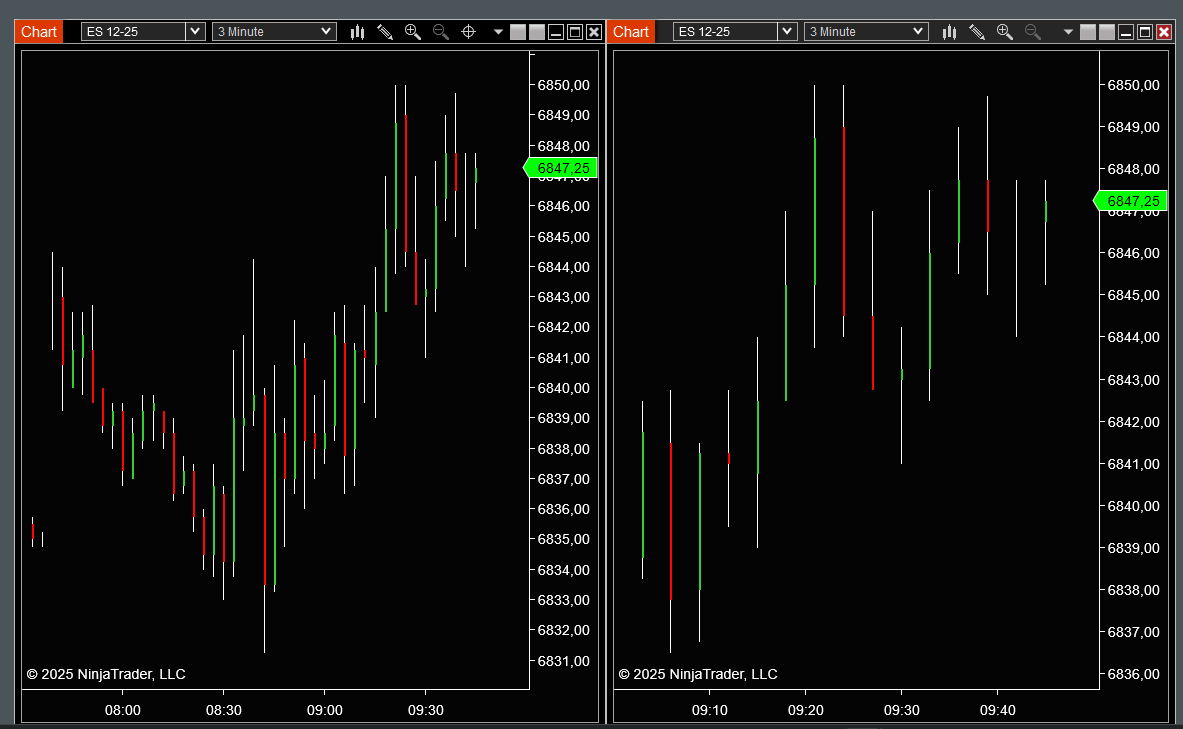
You should change the scaling.
To do this: push CTRL and the ARROW DOWN simultaneously, repeatedly a number of times.
You will see that the distance between the bars will become bigger and as a result the scaling below will change eventually too. The scaling depends on the density of the bars.
I made twice the same chart, and then changed the density (more wide distance between bars), you see that the scaling changed.
Three times the same 3 minute chart with three different densities. Three times a different scaling.
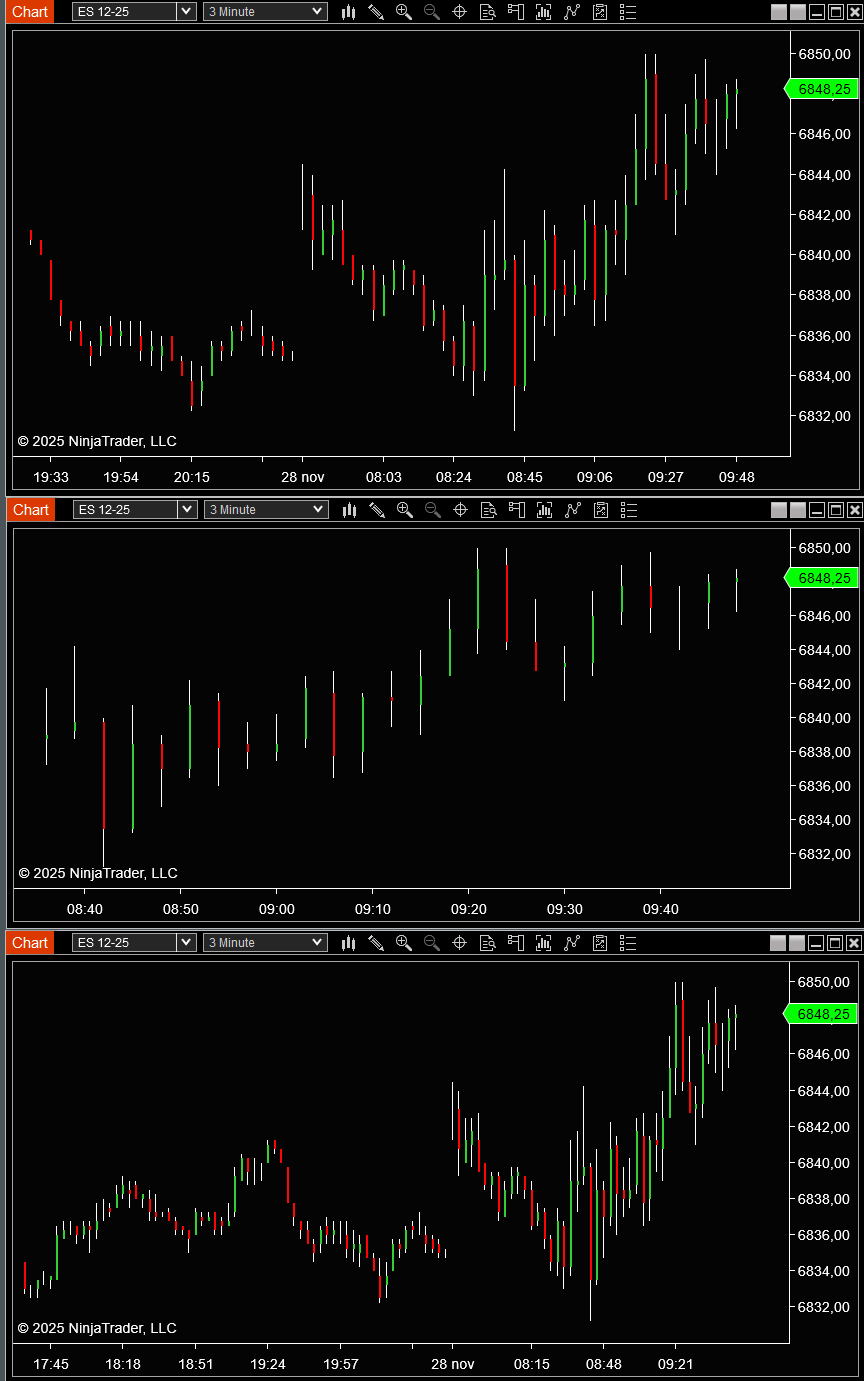
The fact that the market was closed outside the standard scheme might have influenced the problem too.
The fact that for the gap there is no data available, the scaling cannot reset to standard. If you would just miss the data, you could reload, but there is nothing to reload.
Scaling did not fix. I could not find a position in where the times ended in :00 and :30 so that’s not it. I don’t want my charts scaled down or up to a different size either.
I guess I will just have to wait till Monday and see if it fixes itself.
What is strange: my 15 minute charts are already correct again.
I should have the same problem as you, but I don’t. After 7 “15 minute periods”, my scaling was correct again.
I restarted the client and now everything is fine before the halt in trading and broken after reopen.
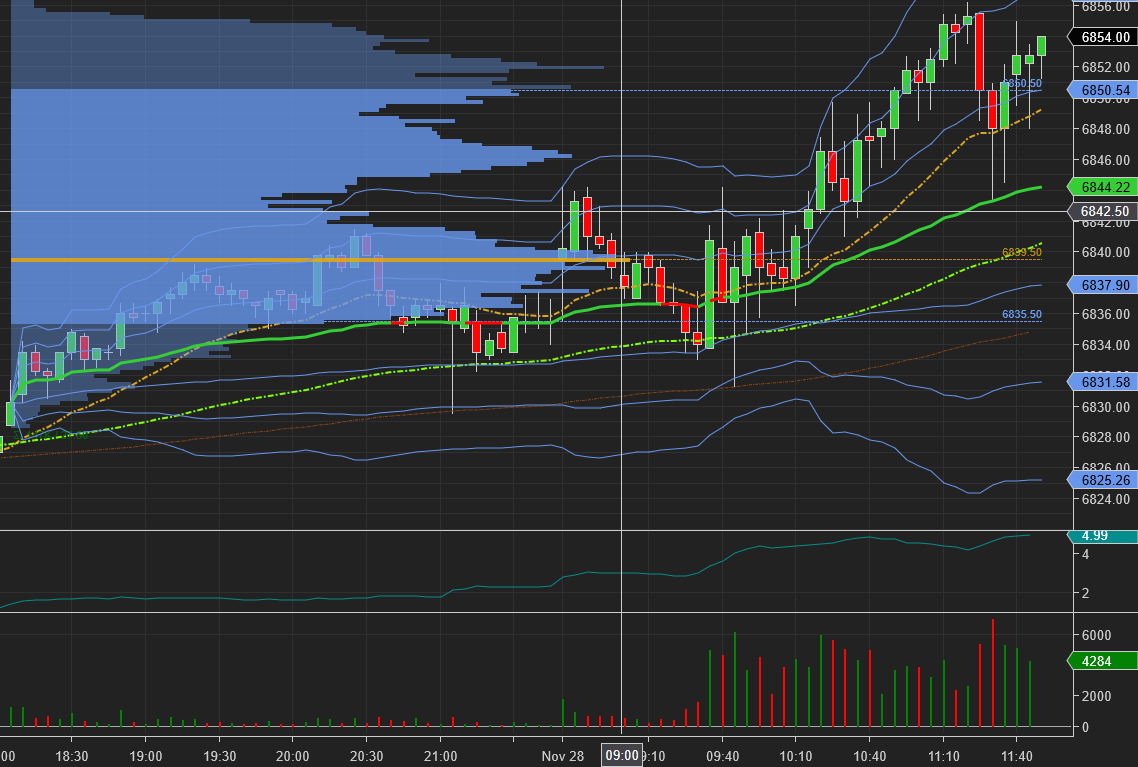
I came to ask this same question, on my one minute bars it counts down to :05, starts the new bar and begins countdown at 1:05. I’ve disconnected, reloaded a new chart, restarted the program, reloaded historical data (really irrelevant but figured I would try) and it continues to happen.
I tested it on 5 second data, it counts down from 10 to 5 and resets to 10.
Pretty has much nullified my algo for the day at this point - hopefully next week it is resolved.
Also it seems to have happened around 10AM, I was collecting data on the script up until that point, 9:58AM CST to be exact - that was the last output time for me.
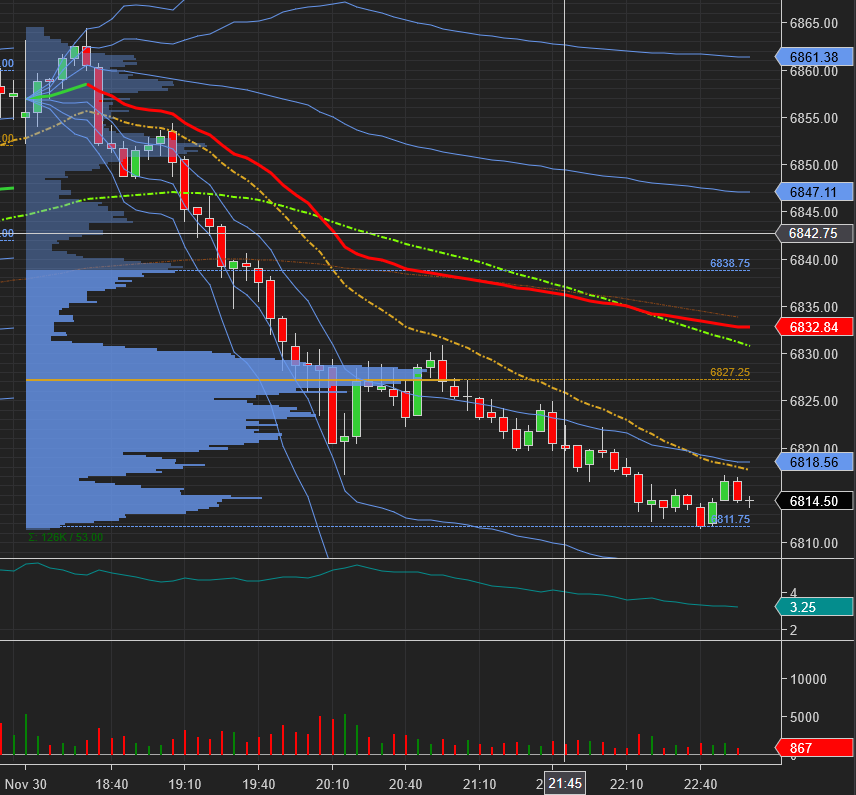
- Right click on your chart and select Reload ‘historical data’
Or
- Go to tools and download the historical data for the date, span it from november 14 - December 1st
Either will fix your chart >do #2 first.
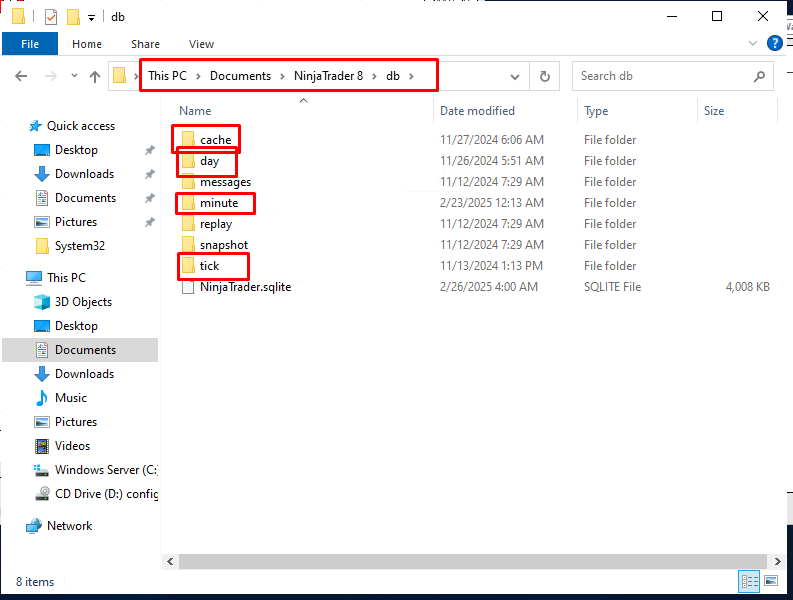
- Close NinjaTrader.
- Open Windows File Explorer (Press Windows Key + E).
- Navigate to the Documents/NinjaTrader 8/db folder.
- Delete the ‘tick’, ‘minute’, ‘day’, and ‘cache’ folders (do not delete any other folders).
- Restart NinjaTrader, and your platform will automatically re-download the necessary data, though there may be a longer initial loading time.
Didn’t do any of that shit and it’s working correctly now, which means the issue was not on my side. Thanks for the advice though.
Do you know how you fixed it?
Yeah, I complained to NT support and when I restarted my client this morning it was good.
1 Like