I had to wait a week for a call from Tech Support! And I got no resolution. After a half hour, he had to “go take another call.” The advice I got was to open NinjaTrader in safe mode. I did that, and cannot even create a five minute chart on EITHER of my computers. Also, Tech Support said they would follow up with an email THAT NEVER CAME!
Now I get this error on two different computers running in safe mode. Beyond frustrated.
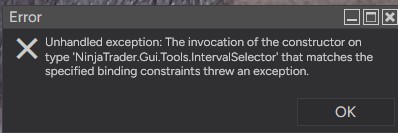
Its probably a third party indicator, dll, add-on that you have on your platform. Look up starting ninjatrader on safemode, whereby it disables all third party add-ons.
If a third party indicator is not well coded, then you can have such issues.
1 Like
As I stated in my post - The unhandled exception occurs in safe mode. Thanks for taking the time to reply.
Uninstall Ninjatrader
Delete the Ninjatrader folders and all contents in your User ‘Documents’ folder and in c:\Programs\Ninjatrader folder (keep a copy of the Documents one if you have a bunch of stuff in there you want to get back once working)
Install ‘clean’ Ninjatrader & confirm it works before adding ANYTHING
If you’re using ANY third-party add-ons or indicators, add them one at a time, closing and re-opening Ninja after each one, confirming no error after each addition
Good luck
4 Likes
Thanks, Bruce. I told tech support that I had already tried re-installing the platform - but he didn’t mention anything about renaming the ninjatrader folder. I’ll try that.
I renamed all Ninjatrader directories and did a fresh install. I’m trying to create a simple daily chart candlesticks and this is all I get:
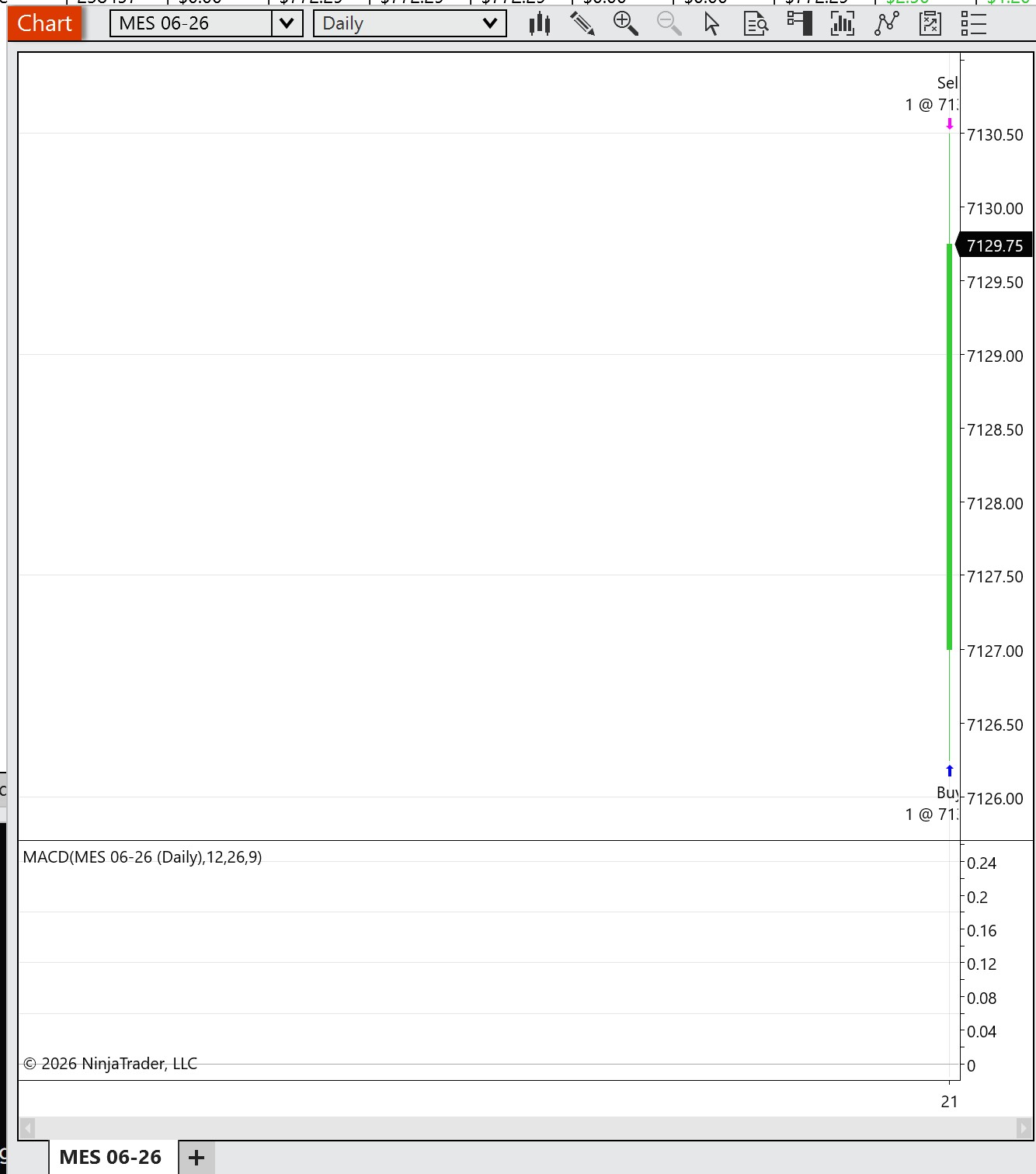
So you’ve got rid of the unhandled exception error (when you do a re-install without deleting or renaming the Documents Ninja folder it leaves your third-party add-ons in there so you don’t get a proper clean install as such, you just get a re-install of the ‘bare’ platform in the Programs folder. So anything you’ve added causing problems remains in the Documents folder)
Chart looks like you have no historical data loaded I.e. before today (assuming the Daily Bar is today). So you might want to look into that for why? (Data Series ‘Days to load’, Data Feed, Reload Historical Data)
Good luck
3 Likes
Before you created this chart, did you first re-create the Connection to your broker and then connect to that Connection, so that the Connection could then download the daily data to populate that new chart?
Remember, you deleted your entire NinjaTrader user folder, so that means all your past historical data is gone as well. Thus, you had first better create a Connection (and then connect to it) so NT can download the daily data to populate that very first chart – if you don’t do this, you’ll get the exact blank chart as your pic.
Makes perfect sense, right?
If NT has absolutely no data whatsoever, then the chart is empty.
2 Likes