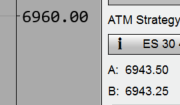
There have been multiple requests over the years (for over 15 years now) to increase the font size of chart trader. Nothing happened yet. Ninja Trader doesn’t seem to care about their customers … 
And please don’t come up with that: “working with the Scaling of your Monitor”
LOL
You can already do this in the properties settings.
Ask Gemini or ChatGPT and it’ll solve your issue.
TY. From what version on?
From your chart > Right click > properties > change your font from 8px to what ever you want.
I’m talking abut the chart trader panel
SFT-509
Perhaps change your screen resolution
did you read the above?
It should be possible to change that in the “BluePrint.xaml” of the respective skin, but that is undocumented…
I don’t B a 27" inch screen to run that with 1024x768…
chart font can be set, but not chart trader
Woo-hoo! It worked!
I exited NT, changed FontButtonHeight from 15 to 19, restarted NT, and now all buttons on Chart Trader (including OK, Cancel buttons on various dialogs) are noticeably bigger. Apparently, there is no XAML font settings which are specific to just the Chart Trader – it seems the Chart Trader settings just piggy back on the general purpose settings.
I use the ‘Slate Gray’ skin, so I edited this file,
NinjaTrader 8\templates\Skins\Slate Gray\BluePrint.xaml
I also changed FontActionHeight from 11 to 16, which controls all the borderless Italic buttons on the bottom right. You know the ones, eg, the Save/Load/Reset buttons for Templates in lower right of Indicators and Strategies dialogs, and the Configure button in lower right of Control Center Connections dropdown menu. There are probably other borderless-italic-buttons in other dialogs, but those are the first ones I noticed.
Works great!

3 Likes