New chart bars thin and spread apart

Hello using NT8.1.6.0 windows 11
Have not changed any settings and when I open a new chart the bars are now thin and spread apart, as well the tick box for " Outline and wick match body" is selected. I have never had it like that. I have read about scaling and understand the things I can do to adjust them. Still I was wondering if anyone had run across this? Is it possible that something has been corrupted? I did a repair but those settings still return upon starting and creating a new chart. The bar width it shows is 3 I have 5 days of data loaded I will attach 2 images one that it creates now and one I have adjusted to look like they always have looked in the past.
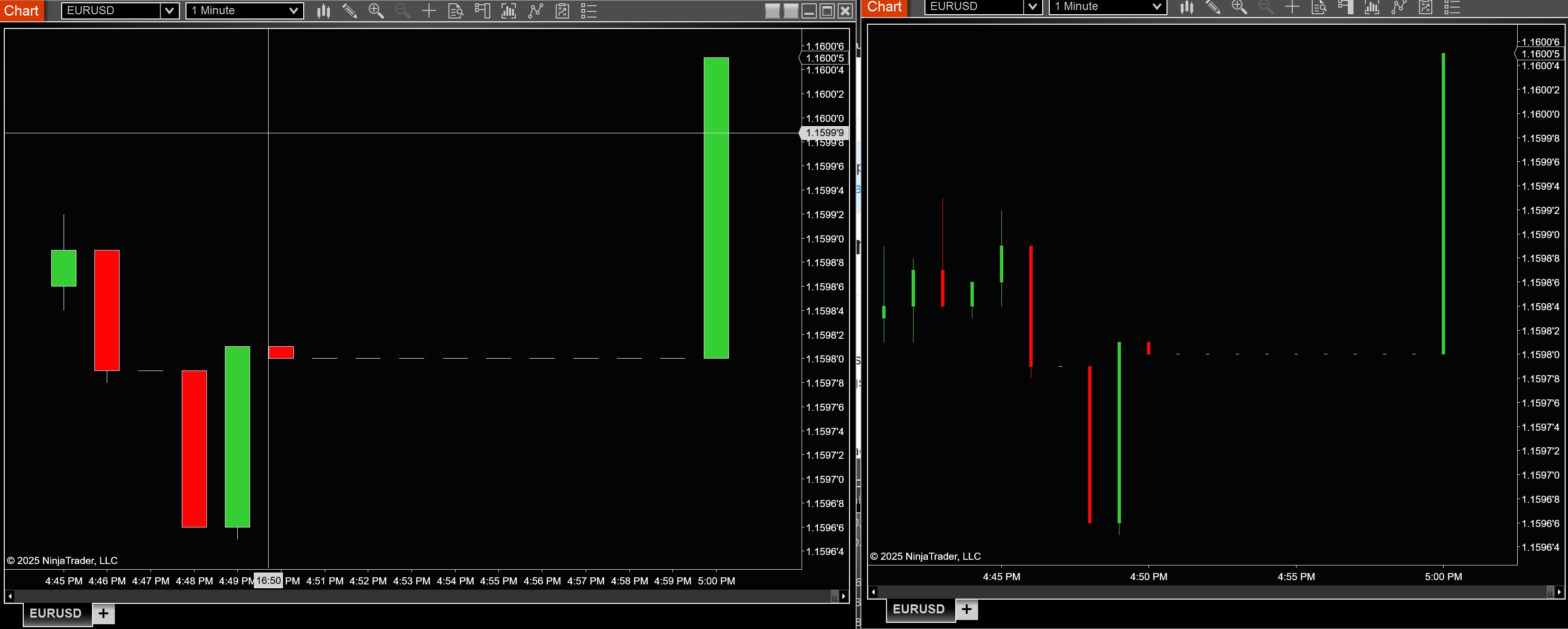
Thanks for any feedback

Give this question with the 2 pictures to free versions of ChatGPT or Gemini and it’ll sort you out.

You change the width or going into chart properties update how its setup

1 Like
  1. Open a chart that has the correct settings for you.
  2. Put your cursor anywhere on that chart and right click.
  3. Select TEMPLATES.
  4. Select SAVE AS .
  5. Choose a name for this template and click SAVE

You can use now this template to put the chart with the wrong format in the correct format.

You can open the chart in the wrong format to change it:

  1. Right-click on that chart
  2. Select TEMPLATE
  3. Select LOAD
  4. Select the template that you made as default and LOAD
    Your chart will now have the same format as the one from which you copied the settings above.

If you wish to quickly make the bar wider or more narrow:

  1. Put your cursor on a bar
  2. Left-click on it
  3. Push on the ALT button and at the same time the up arrow to make the bar more narrow or the down arrow to make the bar wider.

If you want to change the width between the bars:

  1. Put your cursor anywhere on a chart.
  2. Push on the ALT button and at the same time the up arrow to make the distance between the bars smaller.
  3. Push on the ALT button and at the same time the down arrow to make the distance between the bars bigger.
1 Like