Hi everyone,
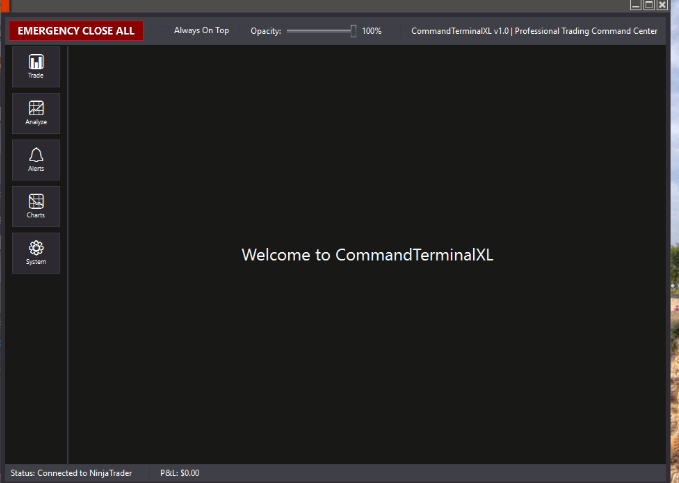
I’m building an Add-On for NinjaTrader 8 from scratch — it’s called Command Terminal XL — and I can’t figure out why the title bar refuses to display the window’s title. Instead of showing the window name, I only get a thin orange strip with no text.
I’m using C# with WPF and XAML (confirmed NinjaTrader uses WPF), and everything I try still results in a blank title bar.
Here’s what’s happening:
- The window opens correctly
- The Add-On loads fine
- The title bar is visible
- But the actual title text never appears — it’s just an empty bar with an orange line
- Even when I explicitly set
Title="Command Terminal XL"in the XAML or set it programmatically in C#, the title bar stays blank
I’m assuming I’m either missing something simple in the window initialization or something in NinjaTrader’s styling/theme system is overriding it.
If anyone has run into this before — especially when creating custom Add-On windows — I’d really appreciate help.
How do I properly get the title text to display in a WPF Add-On window inside NinjaTrader?
Thanks in advance.