Hi, I have written an Indicator (Indicator 1) that calls another Indicator (Indicator 2) to complete a calculation and draw some arrows and lines on a chart. This works great when invoked as an Indicator on a Chart. However, I now want to instantiate Indicator 1 from within a Strategy and access the Values[0] Series of Indicator 1 (the arrows calculated and drawn by the indicator). When I make my call to the Indicator 1 Property for Values[0] to test if is IsValidDataPoint(0), I receive an error that I am referencing an invalid Bar (-1). Here’s a breakdown of the code in question:
public class Indicator1Strategy : Strategy
{
Indicator 1 jed = null;
…
else if (State == State.DataLoaded)
{
jed = new Indicator1();
}
…
	protected override void OnBarUpdate()
	{

		if( CurrentBar < 126 )
			return;

		Print("CurrentBar: "+CurrentBar);

		// If Indicator 1 is primed, set a Stop Entry Order
		if( jed.Property1.IsValidDataPoint(0) &&
			( Position.MarketPosition == MarketPosition.Flat ||
			  Position.MarketPosition == MarketPosition.Short) )
		{
…
This refence to the current element in the Series Property1 produces the following error:
“CurrentBar: 126
Strategy ‘Indicator1Strategy’: Error on calling ‘OnBarUpdate’ method on bar 126: You are accessing an index with a value that is invalid since it is out-of-range. I.E. accessing a series [barsAgo] with a value of 5 when there are only 4 bars on the chart.”
This is perplexing to me, since Indicator1 works fine when applied as an indicator to the chart. When calling an Indicator from a Strategy, do I need to have the Indicator create a new Bar Series to operate correctly? Any suggestions would be greatly appreciated.
You’re getting that Invalid Bar (-1) error because you’re not adding the indicator right, You can’t just new Indicator1() inside State.DataLoaded. doesn’t hook into the strategy’s OnBarUpdate loop, so the indicator never calculates its Values[0] series. The data is just empty.
You need to use “jed = AddIndicator(new Indicator1());” inside the “State.Configure” That’s the only way the indicator gets processed on every single bar block instead.
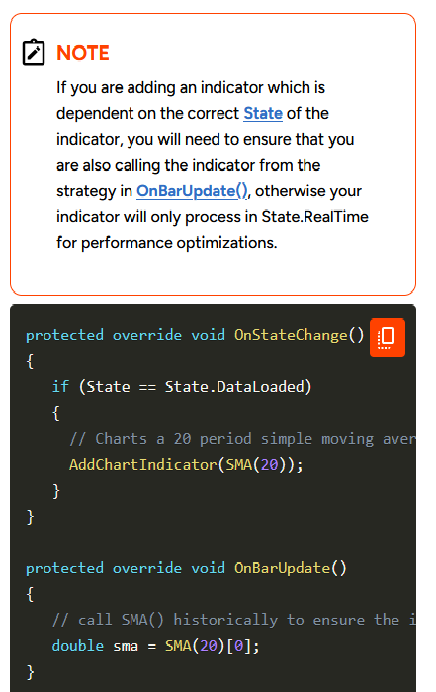
In my experience, these errors are caused by either: not checking the BarsInProgress, or not keeping the indicator up to date. It is necessary to call Update() for each indicator during the OnBarUpdate() call.
Since the OP’s indicator doesn’t appear to use a different data series, it’s likely an update issue. I would suggest changing the OnBarUpdate() code to add a call to Update() on every iteration.
Thanks, noisefilter. Your and Mark’s replies got my Strategy up and running! I’ve written numerous successful Indicators using the approach I first tried for this Strategy, but it sure didn’t work as I expanded into Strategy development. I do wish the NinjaScript documentation included better threads on how to do common things, like calling Indicators from within Strategies. Thanks again!
Thanks, Mark. Your and noisefilter’s replies got my Strategy up and running! I’ve written numerous successful Indicators using the approach I first tried for this Strategy, but it sure didn’t work as I expanded into Strategy development. I do wish the NinjaScript documentation included better threads on how to do common things, like calling Indicators from within Strategies. Thanks again!