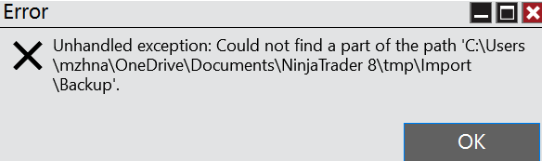
I am trying to import an indicator (https://ninjatraderecosystem.com/user-app-share-download/bartimercounter/) to desktop platform, but it said
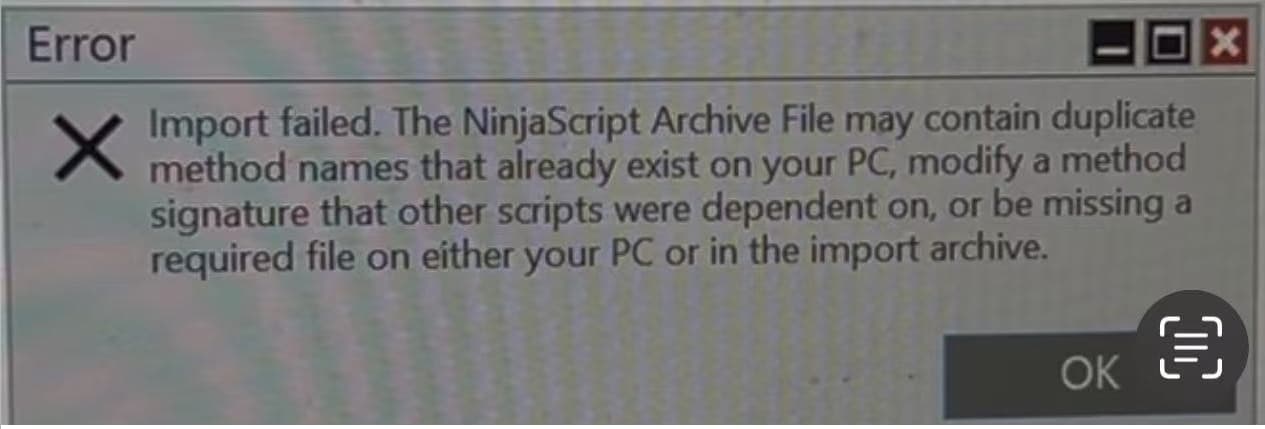
Does anyone have similar experience?
I am trying to import an indicator (https://ninjatraderecosystem.com/user-app-share-download/bartimercounter/) to desktop platform, but it said
Maybe the problem is the ONE DRIVE. Did you install NT8 on ONE DRIVE or on the HD of your pc? Best is to install everything where NT8 proposes to install it.
The problem is OneDrive. NT profile should not be on OneDrive. Please see my post below.
I am getting the same error, claiming duplications. But it doesn’t matter what indicator I install. I get the same error. When when I go to remove any that there might be under the Tools>remove NinjaScript Assembly, there is nothing there.
It am new to NT and just installed this week. And have never (yet) been able to add any indicators. So the only ones that it has are the ones that came with the install.
Done a bunch of searching, but can’t seem to find a fix that works. And the files I am importing are not in a OneDrive folder…
What some people here don’t realize is that this is not a NinjaTrader support forum. There are no NT support people here, just users helping each other out when possible.
You might be better off posting similar inquiries to NT support and get 1 on 1 support.
If you’re fairly new to NT and don’t have a lot of customizations on your platform and can afford to completely nuke it and start from scratch, that might be the easiest path to getting to a consistent state where things work. It’s hard to figure out what went wrong with your system without being able to see it.
If this is the case and you don’t have anything in NT that you care about, remove it completely and reinstall it from scratch. You’ll need to redo your connections and any other customizations you might have so make sure you have all the info you need before doing the following.
If you’re ok with this approach, this is what you can do.
From Windows Add/Remove programs, remove NinjaTrader
Go to C:\users\YOUR_USERNAME\Documents and rename the NinjaTrader 8 folder to something else for example: NT8.old. If you’re sure you don’t need anything from your old installation, you can remove the NinjaTrader 8 folder entirely, but it’s safer to rename it for now just in case. You can always remove it later.
Make sure you don’t have OneDrive enabled.
Reinstall NT from the installation file.
Go back to C:\users\YOUR_USERNAME\Documents and verify that it created a new NinjaTrader 8 folder.
This should give you a clean and consistent platform environment where you should be able to import packages (assuming packages are clean and don’t have issues themselves) and do other stuff.
Hope this helps.
Good luck