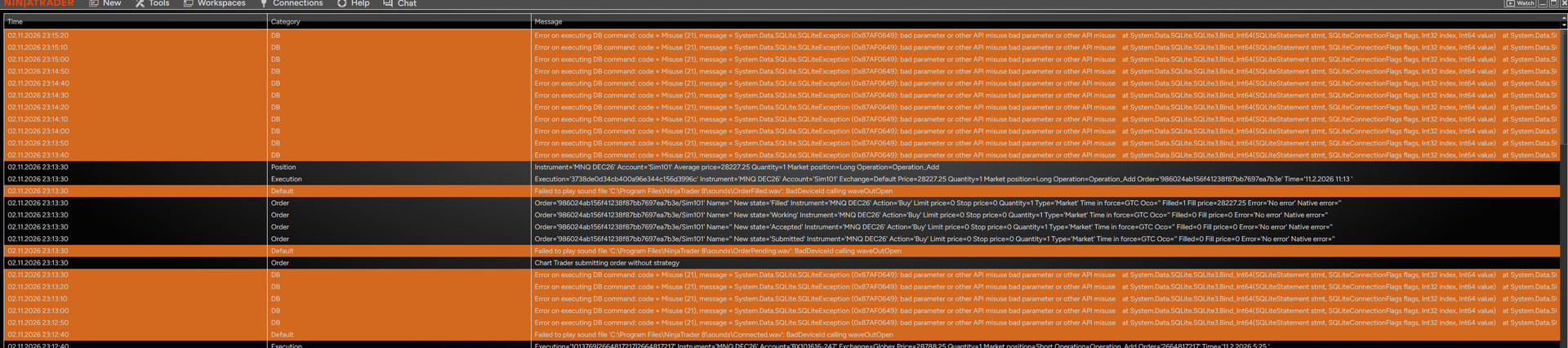
I see two separate error groups in your screenshot. The Misuse (21) lines come from DB commands, the BadDeviceId lines from sound files. Your visible MNQ order shows Filled with no order error. I’d keep the original logs and trace files unchanged for official support. Which exact NinjaTrader version are you on and what fails for you beyond these log lines?
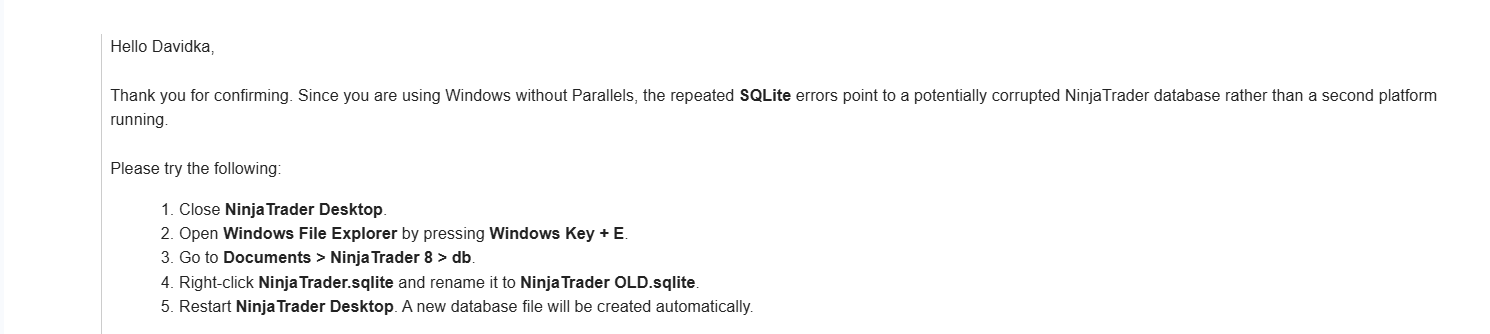
I downloaded the latest version from the website.
Thanks. Which file is Windows refusing to let you rename or delete, and what’s the exact error? That gives support something concrete to check. Keep a copy of NinjaTrader.sqlite and the logs before changing the db folder. Support’s rename step needs NinjaTrader fully closed.
I couldn’t delete the platform itself, it tells me that it’s running in the process, but it’s not in the task manager.
I’d check what’s holding the NinjaTrader folder open before trying to uninstall again. In Microsoft’s Process Explorer, open Find Handle or DLL and search for the full install path. What process name and PID show up?