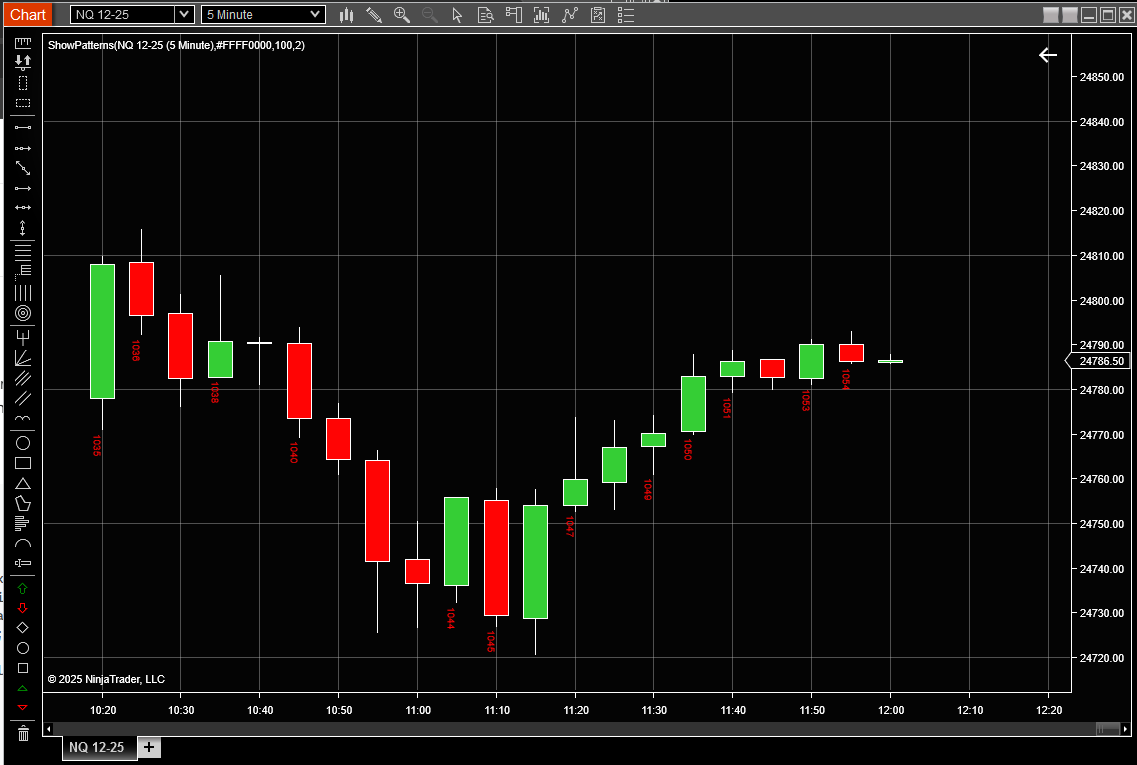
Here is an example of DrawTextLayout to draw vertical text.
private void DrawTextLayout(SharpDX.Direct2D1.RenderTarget renderTarget, ChartPanel chartPanel, float x, float y, string text, SimpleFont font, string defaultForegroundBrush)
   	{
   		SharpDX.Matrix3x2 originalTransform = RenderTarget.Transform;

   		SharpDX.Vector2 origin = new SharpDX.Vector2(x, y);

   		RenderTarget.Transform	= Matrix3x2.Rotation(1.5708f, origin);

   		SharpDX.DirectWrite.TextFormat textFormat = font.ToDirectWriteTextFormat();
   		SharpDX.DirectWrite.TextLayout textLayout = new SharpDX.DirectWrite.TextLayout(NinjaTrader.Core.Globals.DirectWriteFactory,
   													text, textFormat, chartPanel.X + chartPanel.W,
   													textFormat.FontSize);

   		renderTarget.DrawTextLayout(origin, textLayout, dxmBrushes[defaultForegroundBrush].DxBrush);

   		RenderTarget.Transform = originalTransform;

   		textFormat.Dispose();
   		textFormat = null;
   		textLayout.Dispose();
   		textLayout = null;
   	}