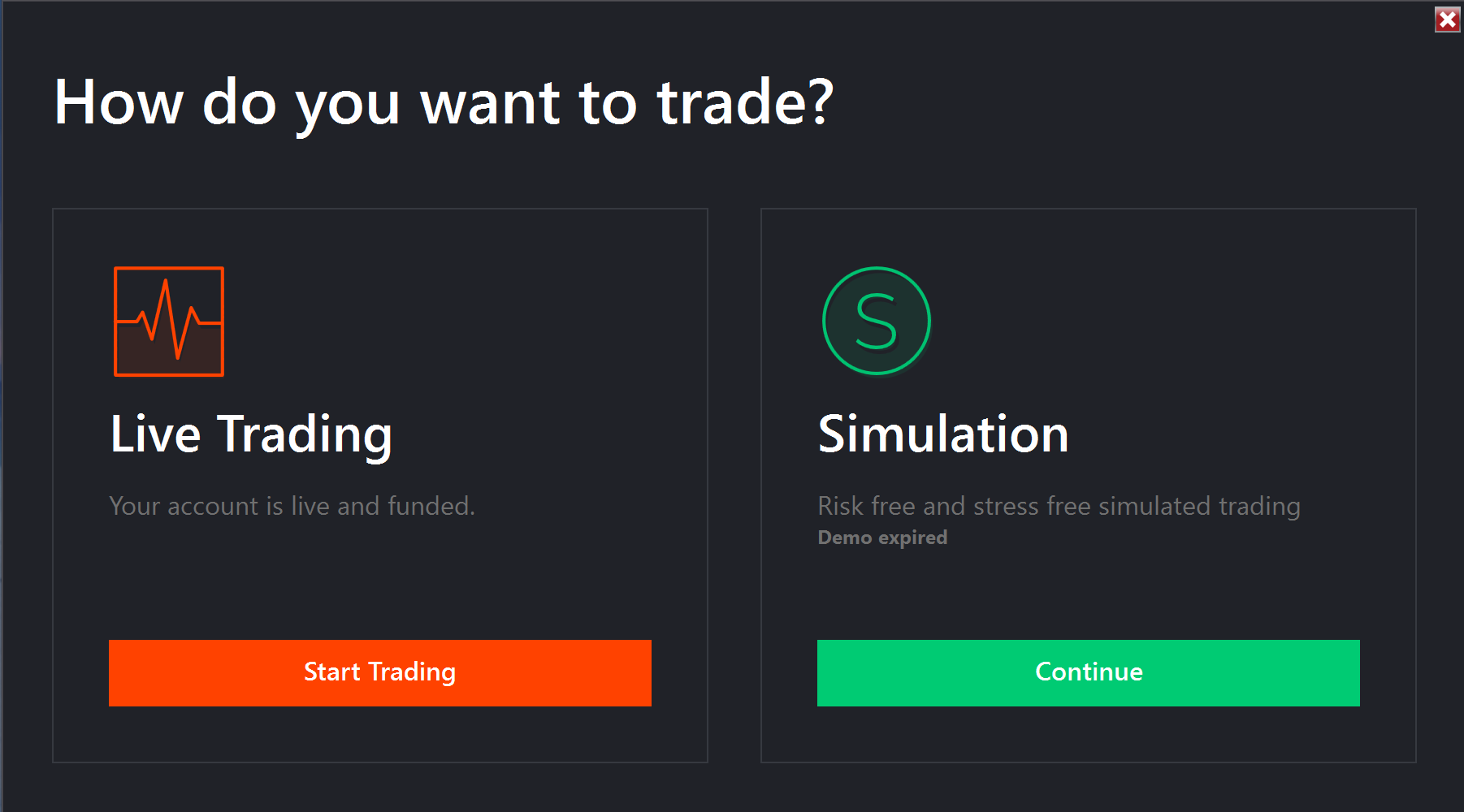
I have no idea why this screen appears after entering login credentials. I can switch between live and simulated trading from the control panel. This extra step at login is a minor nuisance. But stuff like this is very annoying. Is there any way to get rid of this? Screenshot attached.
You normally have on your desktop an icon NinjaTrader. If you click on it, you go directly to your dashboard and charts.
1 Like
LOL. That’s funny. I immediately delete any shortcuts that get placed on my desktop during program installation. I never user them. I always open programs directly from the start menu.
But I just checked and confirmed that the start menu contains the same exact shortcut which gets placed on the desktop during installation.
So… that does not fix the problem. But thanks for suggesting that.
If I click the icon (installed by Ninjatrader), it opens directly the last workspaces that I used. I can trade immediately. So if you see then the same problem as before it means that that link is not the one that Ninjatrader placed on your desktop initially.
This should be the correct shortcut: “C:\Program Files\NinjaTrader 8\bin\NinjaTrader.exe”
The fact that you see the annoying screen, and I don’t, confirms that you do something wrong.
1 Like
I appreciate you trying to identify the problem but the shortcut I am using to open NinjaTrader is an exact match to the the one you listed in your suggestion. I checked that yesterday, and that is how I confirmed it’s exactly the same as the one that gets installed on the desktop.
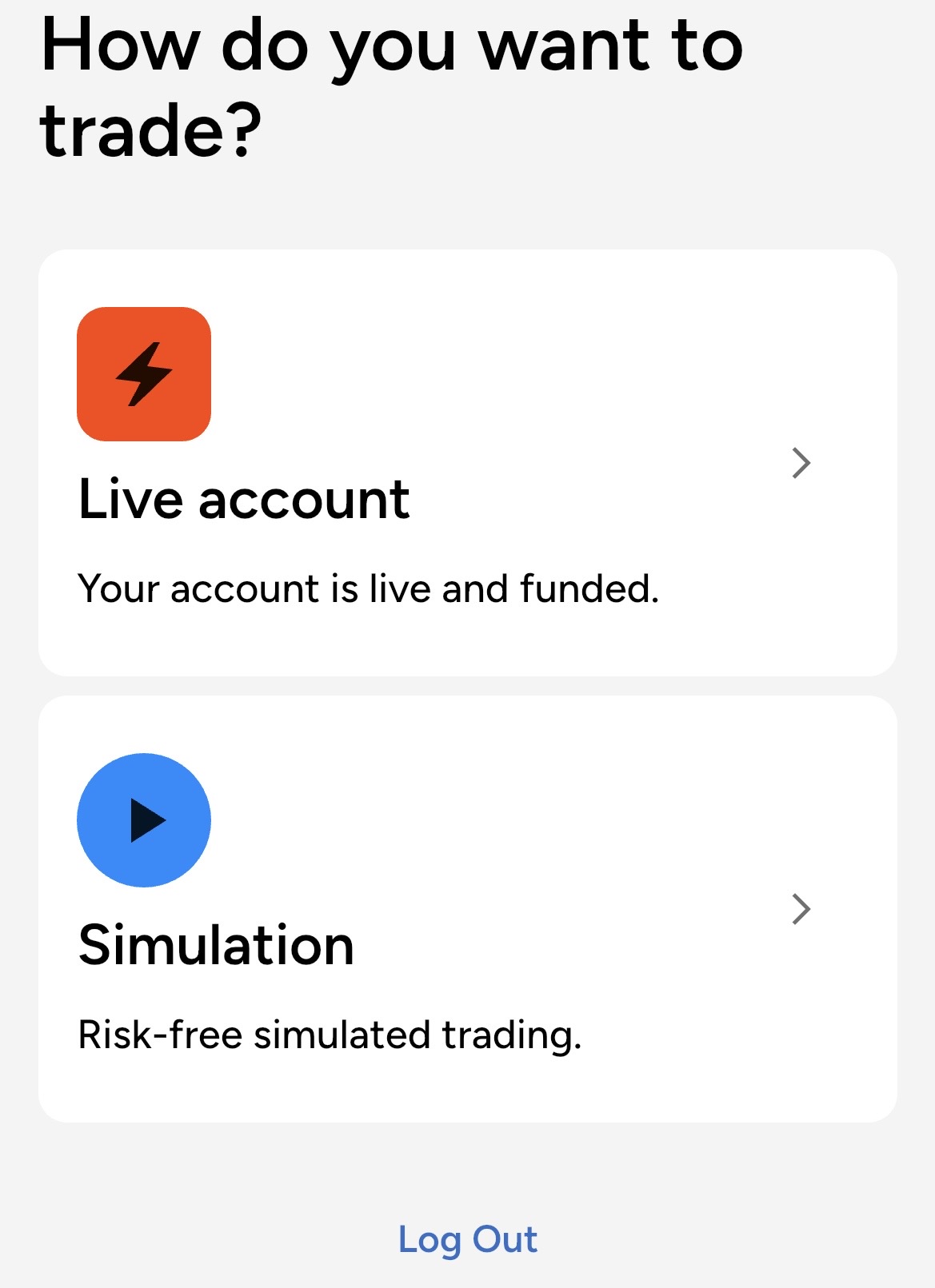
So… there is something else causing this. Because I also get a similar message when I log into the mobile app. Proving it has nothing to do with the shortcut I am using on my PC.
Attaching a another screenshot showing this.
Seems this is probably an issue related directly to my account. And that I will need to contact NT support to have them fix it.
But I appreciate that fact that you confirmed this screen is NOT supposed to be showing up when I log in on my various devices. So thanks for that.
1 Like
Have you configured any Connections yet?
1 Like
Yes, this is an active account which I have been trading since the end of August 2025.
Last couple of days my computer has randomly rebooted, I think heat issues. After this event, when restarting NT, I would not have my login name filled in and after logging in I would get the same selection box. To correct this I needed to import the config file from the latest backup. Try that.
1 Like
If you put your Tools → Settings → General in multi provider mode (check the checkbox), this won’t be displayed - you can then set up your NinjaTrader connection with your credentials instead and choose live vs sim by which account you pick in the dropdown. Just don’t forget to configure your connection.
4 Likes
I appreciate that suggestion as well. But it’s been doing this since day one. And it also does this on the mobile app. Therefore, it has nothing to do with the installation or the settings. And it also happens on a different PC in which I install NT8.
I contacted support and will update this post with whatever solution they provide.
Well, by default Multi-Provider mode is disabled, so, naturally, you are seeing standard ‘first-time user’ behavior. I mean, what you’re seeing should happen to everyone on day 1 of installation.
But, Bruce’s question is still valid.
Have you enabled Multi-Provider mode?
1 Like
Multi-provider mode is disabled. This is not “day one” This is several months of using NT8 every trading day of the week. And as stated several times in previous replies. This is happening on the mobile app as well as the desktop. And it happens on a brand new installation of the desktop version as well as the one I have been using since August.
The suggestion is:
Enable Multi-Provider mode and see if this makes a difference.
Ergo,
Have you tried it?
Does enabling Multi-Provider mode make any difference?
Furthermore. I cannot use multi-provider mode because I have turned on the setting “Use server side ATM’s (beta)”
Then you have to live with this screen, no other option…
1 Like
Understood.
If you want to satisfy your curiosity, you could always experiment by enabling Multi-Provider mode (with server-side ATMs disabled), just to check if Multi-Provider mode enabled makes any difference to that screen.
Not that it changes anything (except your own understanding), because, yeah, you’ll probably just have to live with it.
Have you asked NinjaTrader support directly?
2 Likes
- Confirmed. turning on multi-provider mode fixes this nuisance.
- But it still displays on the mobile app
- I have been trying to contact support about this but their stupid AI chatbot will not create a new support case for this
- I had to go back to my old settings so I could retain the feature related to ATM orders
- Such silly things to be messing with. You would think even the lowest skilled programmer would understand the uselessness of that extra step when logging in.
3 Likes
Conclusion:
Tech support confirmed there is no way to disable this pop-up window during login without disabling the server-side ATM’s. They did mention this would be corrected in a future update.
2 Likes