I was hoping someone would help me out with some addon development with Visual Studio.
I know C# and XAML. I have coded countless indicators and strategies for myself and clients. Just recently broke into Addon Development, and it has been the most painful experience so far. haha.
I downloaded the Visual Studio solution for Addon development and tried to make a replica of it but always get stuck at the point where I have to integrate the XAML file with .cs file for populating the addon tab with content. I managed to create a window with no issues, however.
I even got a course on Udemy on Addon development but that just confuses me even more.
If someone could explain the process of connecting the xaml file to a .cs file and populate the tab with my desired content, I think it would solve a large portion of the challenge I am facing.
There are two samples in the Addon dev docs The first one (AddOn Framework NinjaScript Basic) is a sample that shows how to create an addon that lives in the standard custom object project and can be used in the normal NT Editor based workflow. The second (Visual Studio Solution for AddOn Development) demonstrates how to create your addon as a separate dll.
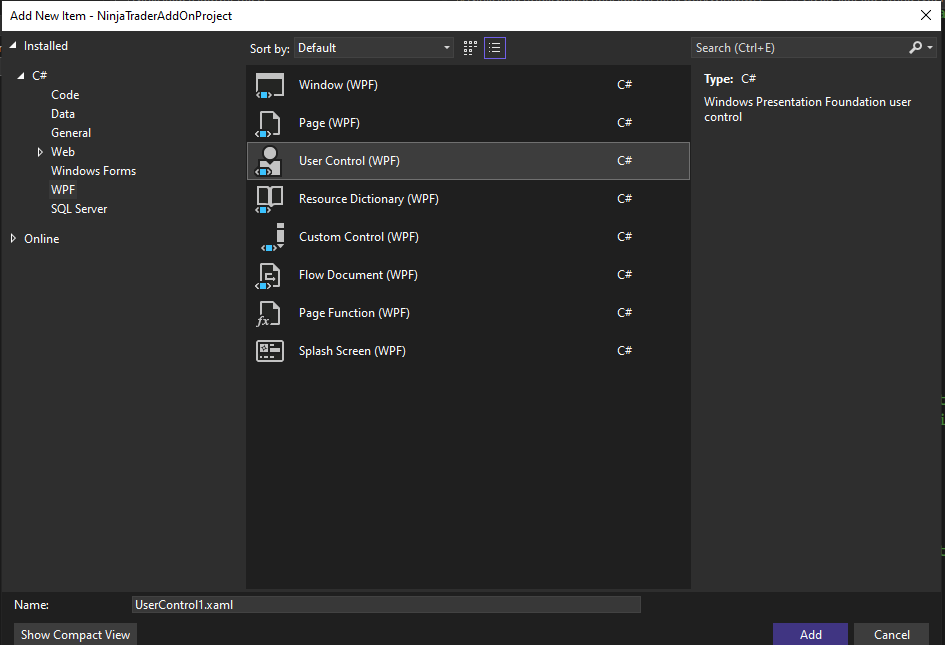
When building as a separate dll, it’s easy to add new xaml (with it’s associated code behind) by simply adding a new “User Control (WPF)” item from the C#, WPF section. Then just change the xaml header to mimic the example in AddOnPage (derive from NTTabPage and set the class to match your code behind partial class name. Then in your factory class simply instance your desired tab page control.
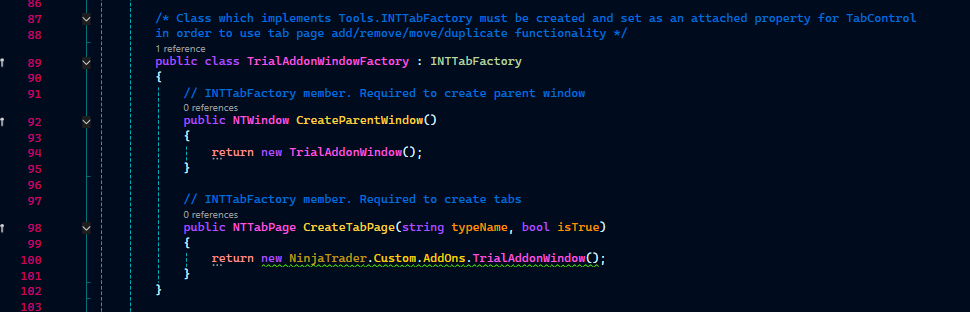
Cannot implicitly convert type ‘NinjaTrader.Custom.AddOns.TrialAddonWindow’ to ‘NinjaTrader.Gui.Tools.NTTabPage’
Argument 2: cannot convert from ‘NinjaTrader.Custom.AddOns.TrialAddonWindow’ to ‘NinjaTrader.Gui.Tools.NTTabPage’
I just can’t get around how to solve these 2 errors.
The factory class CreateTabPage() function return type needs to be an NTTabPage. Likewise, adding a tab page to the tab controller via tc.AddNTTabPage() expects an NTTabPage as the argument.
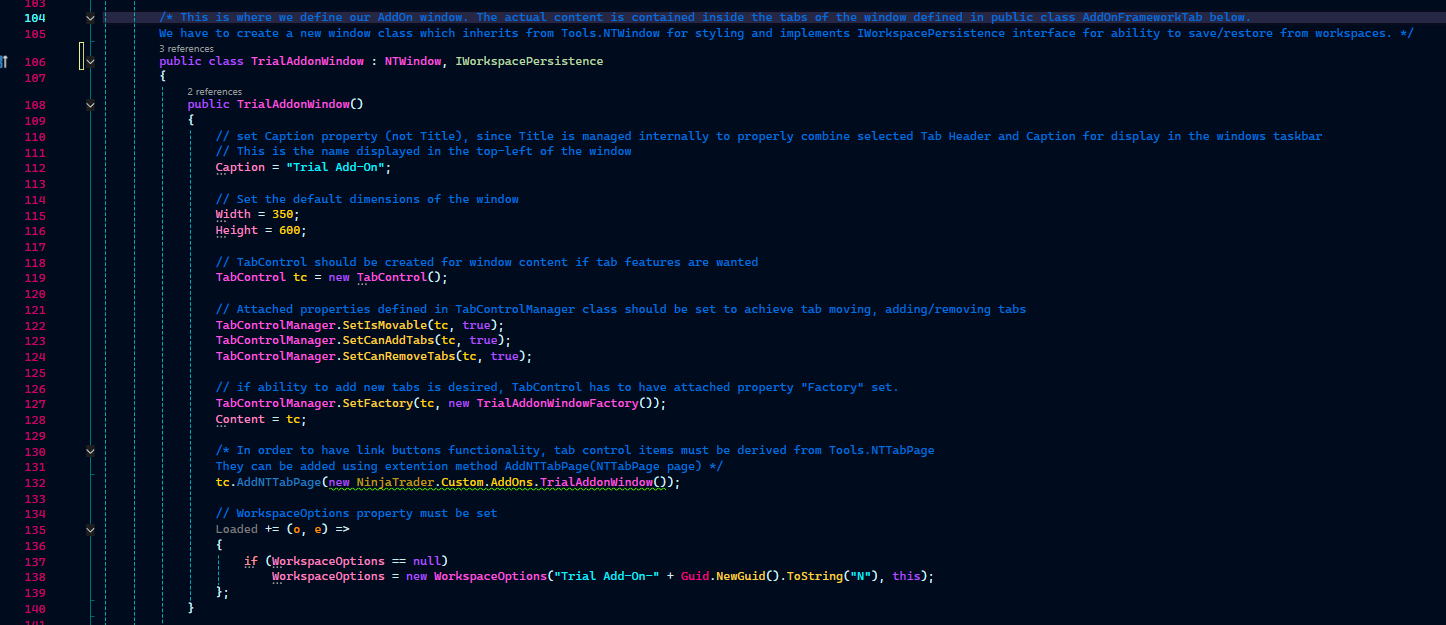
The error messages are telling you that your TrialAddonWindow is not derived from NTTabPage. Without seeing your actual TrialAddonWindow class, by the name of it I would guess you are inheriting from NTWindow instead.
public class TrialAddonWindow : NTTabPage
{
//...
}
I spent the last 3 days trying to figure this out and one of the solutions were to change the inheritence to NTTabPage but for some reason it didn’t work. The error messages persisted.
Thank you so much for giving me the motivation to continue with this. HAHA.
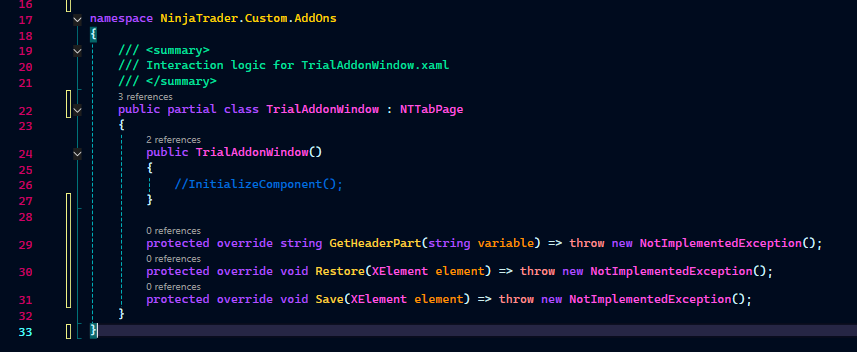
While you are here still on this resuce mission do you think implementing the abstract members GetHeaderPart, Restore and Save like this is going to be a problem? I injected them through the telesence.
A couple of things I notice here. One, your TrialAddonWindow class is being declared partial. Are you building your addon as a separate dll? If so, you’ll need to follow the first example I posted and have your xaml file be based on NTTabPage. The code behind doesn’t matter as long as it’s declared in the x:Class.
Second, the functions you added look fine in terms of their declaration. I’m not familiar with “telesence”. Is that some form of dependency injection? That’s not something I’ve used before, afraid I can’t help with that. If you meant you just let intellisense create the stubs for you, they’re fine. All you’d need to do is implement the function bodies and remove the throw statements.
It seems I have hit another brick wall that I just can’t seem to get around. Working with XAML files.
I downloaded this project Addon-shell and spent a long time studying it and I really like the AddOnShellNoTabsExample. I tried replicating it and everything goes fine until I reach the point where I have to use Filestream to load the xaml file.
In my own .cs file Filestream works perfectly with the filepath to the Xaml file, which is the default one as attached in the image.
When I use my own xaml file with its own filepath, the NT window doesn’t load the content in the Xaml file but if I change the filepath to the example xaml file. The NT window loads the content of the example Xaml file.
My best guess, if this is the same xaml we were talking about above, is a misalignment between the base class of the xaml file and the class you are trying to cast it to here:
page=(Page)XamlReader.Load(fs);
In the sample project you mentioned the xaml base class is the Page class
The class name in that first outer tag will be the type that the xaml is parsed into in your code. Which is why it’s casting to the Page class.
If you’re not getting any casting errors like before, another gotcha that can happen is in the xaml layout phase NT tries to optimize space and can sometimes cause a control to not show, even when loaded correctly, as it ends up giving it a zero size.
In the Addon-shell example, the xaml Page class is just used as a build container. If you look at their implementation of LoadXaml() you’ll see it’s actually returning the page content as the DepencyObject that gets set to the window Content. In the case of the example, that content would be the outer Grid element. That grid has several fixed row heights and a fixed column width. Also, the way grids work with the layout system (it’s a “greedy” element) allows them to keep their space during the optimization phase.
From AddonShellNoTabsExample.cs (line 318):
DependencyObject pageContent = page.Content as DependencyObject;
If you’re able, I would look at the results in the VS debugger live tree to make sure your control exists and is parented correctly (if not you can use more print statement to check values). If it is, make sure the UIElement you’re using to wrap your contents is a “greedy” control (like grid). UserControl usually works for this if you don’t want to use Grid.