Not sure why the playback would display inaccurate footprint volume when I let the playback run at normal or accelerated speed. However, when I manually move the slide bar on the playback, the data seems to look perfectly fine. I’m running data from May 15th on MES Sep25. Can someone help me out.
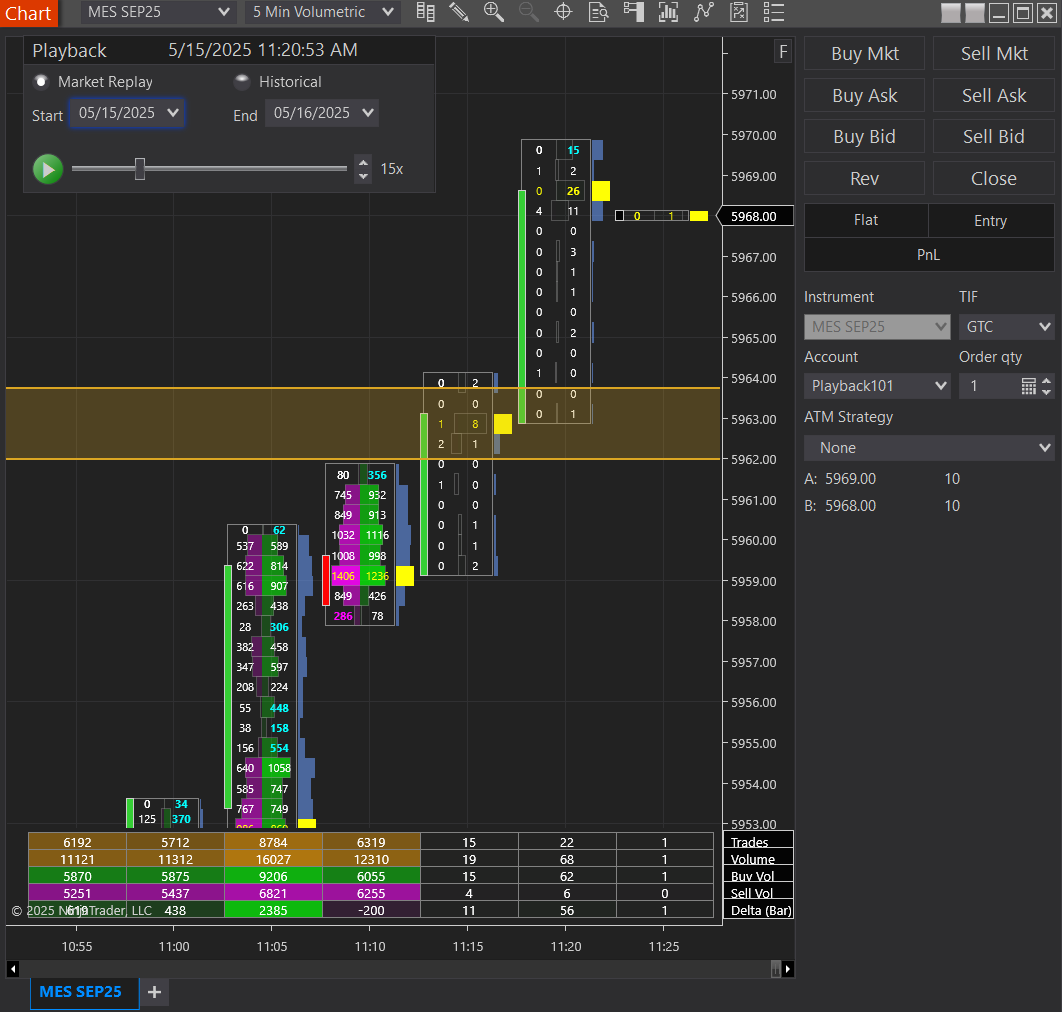
One thing to be aware of is that playback data (the one where you download playback files) and historical data (which is what is saved/cached in real time from your data provider) come from different sources and may not match 100%. In fact they almost never match. You can load a chart and start playback and it will show what ever comes in from the playback files. The minute you stop playback and refresh your chart (or move the slider), you’re loading data from historical data. This will very likely (or almost certainly) change a good amount of info on volumetric bars - or anything else that reads orderflow for that matter - like volume profile, delta, etc.
This is why it is nearly impossible to replay exactly what happened during a specific period in the day using replay on NT. Replay is a useful tool, but don’t read too much into every bit of data you see on the screen during replay. Actually, this is true of any data source.
1 Like