Hi all,
I wanted to see large orders directly on the price chart without opening another window, so I built Fuse Big Trades myself: one button, a few settings, no clutter. The Free edition is a full download, no license key needed.
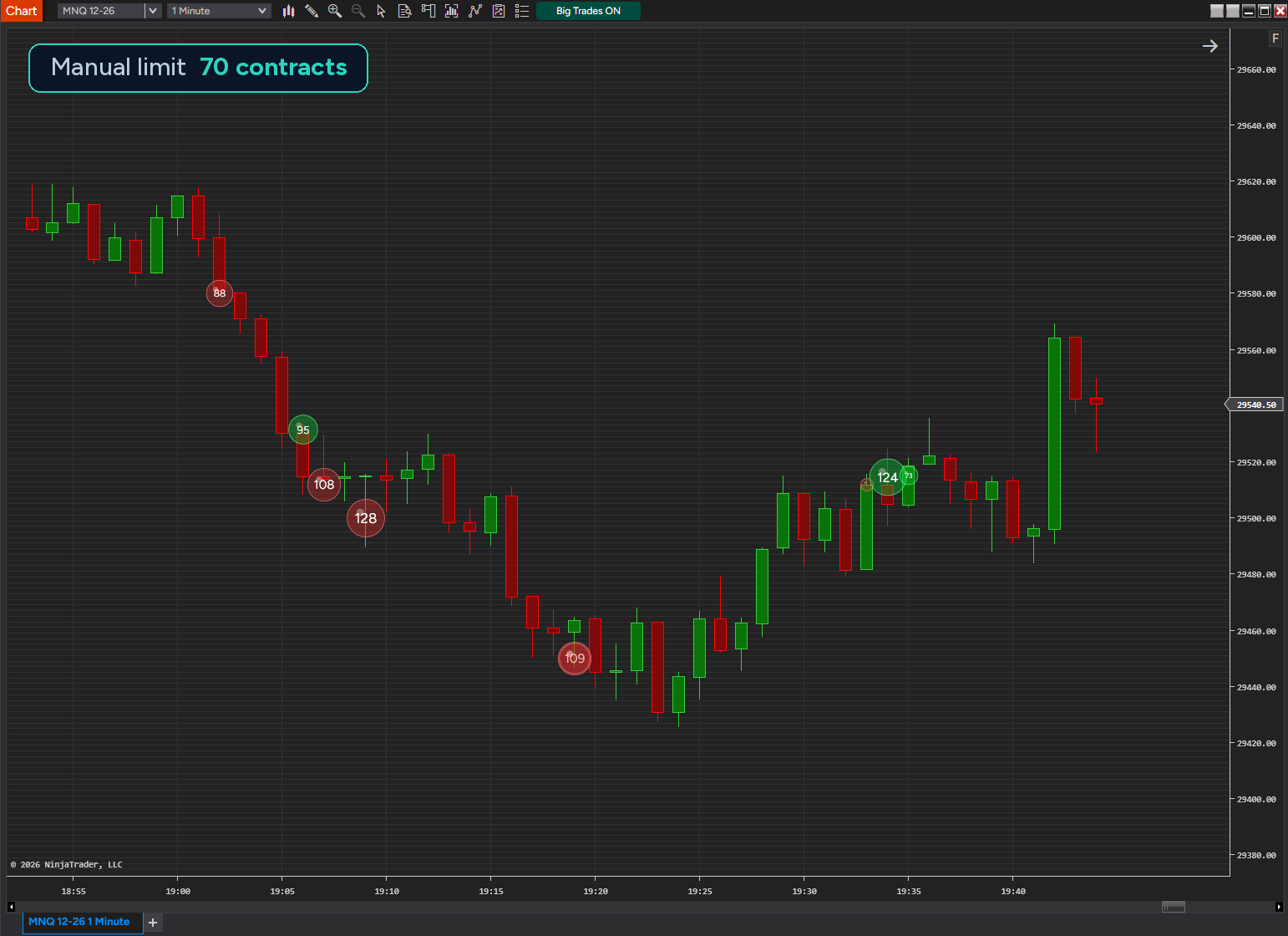
What it does
- One bubble = one order. It sits at the order’s price, its size follows the number of contracts, its color shows whether buyers or sellers were the aggressor.
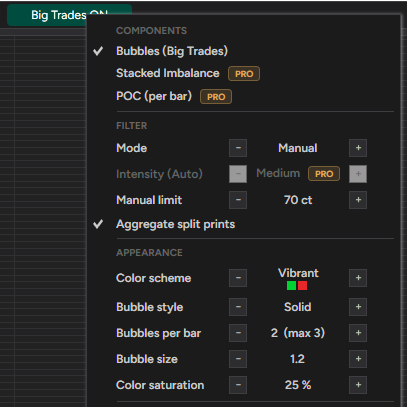
- One “Big Trades” button in the chart toolbar. Left-click shows/hides the bubbles, right-click opens the menu.
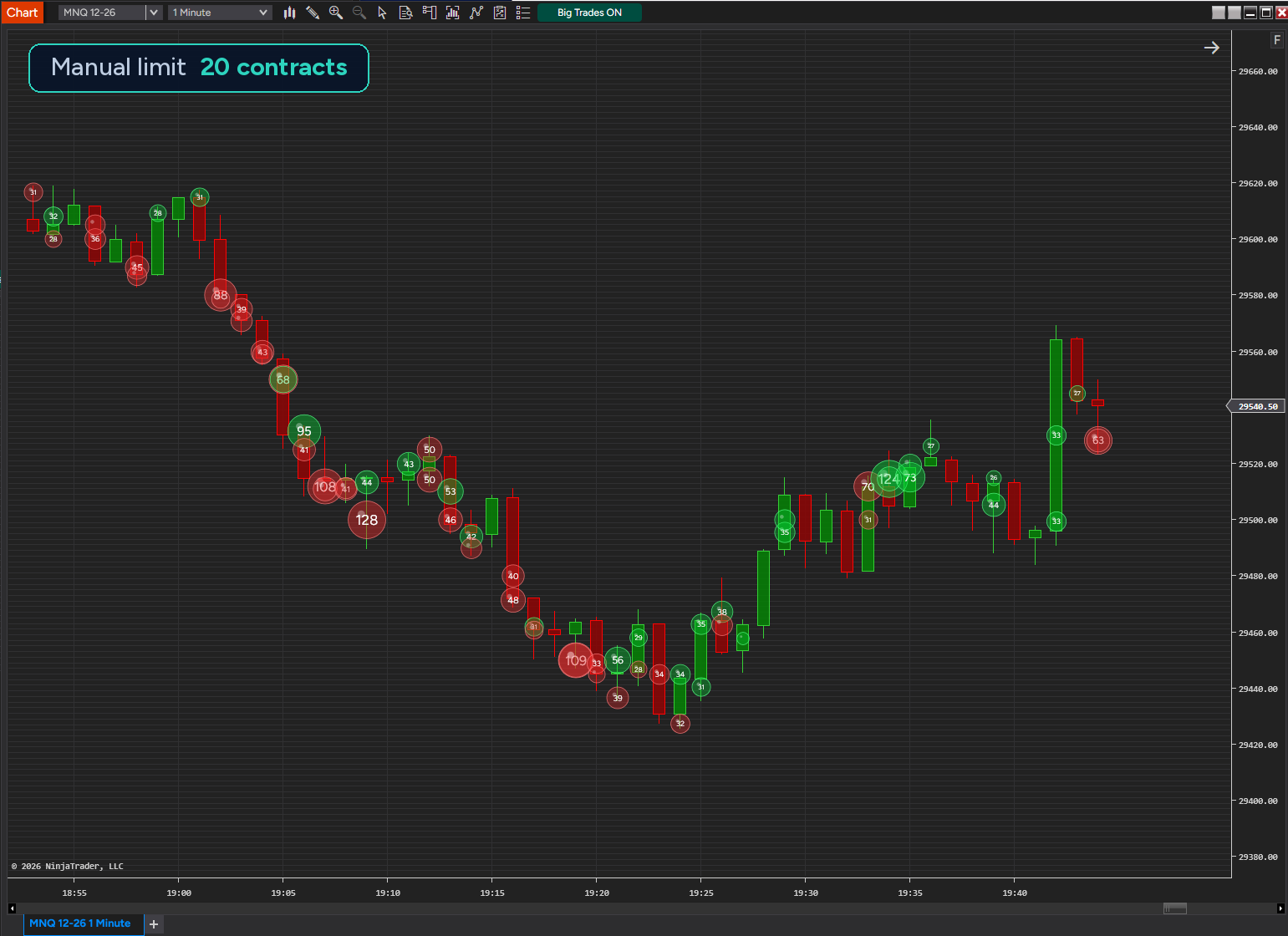
- You set the minimum order size yourself (Manual limit, default 20 contracts).
- Free includes two color schemes (Subtle, Vibrant), solid bubbles, up to 3 bubbles per bar, and bubble size settings.
- Works live and on sim with a data feed that supplies tick data. No Order Flow+ subscription is required.
Change manual limit
Right-click the Big Trades button
Things to know
- It is not a footprint chart. It draws bubbles for large orders.
- Live and with Tick Replay, direction comes from real bid/ask. On history without Tick Replay it comes from the tick rule, so the color of historical bubbles is an estimate and can differ from live. Order sizes are not affected.
- On history only the latest bars are calculated (automatically 400 bars on a 1-minute chart, adjustable).
- Orders are built from the tick data your feed provides, which can be late or incomplete. It is a charting tool, not trading advice.
Install: Tools → Import → NinjaScript Add-On, pick FuseBigTrades.zip, then add FuseBigTrades (FuseSuite folder) to a chart. About two minutes.
Free download: Fuse Indicators | Indicators and tools for NinjaTrader 8
Disclosure: I’m the author. There is also a paid Pro edition (one-time license, no subscription) with an Auto filter, more color schemes and styles, Stacked Imbalance zones and Candle POC.
A short captioned video walkthrough will follow next week. If you find a bug or something behaves differently than you expect, please let me know here.
Fuse
