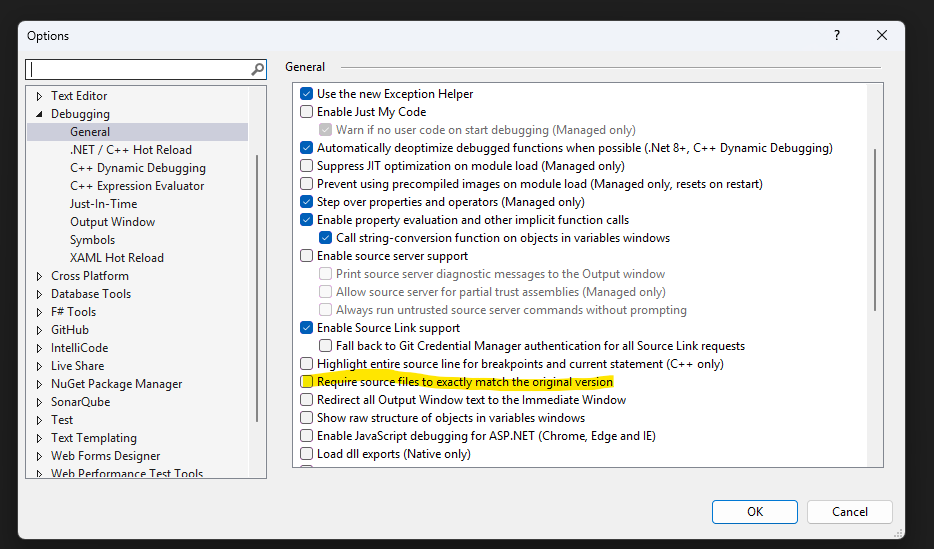
I have gone through all the articles and used AI a bit. Trying to get NinjaTrader9 ninja script to attached Visual Studio and be able to debug my strategy.
I made sure ninja was in debug mode. I recompiled the solution.
I deleted the bin and obj folders from the Custom Folder and recompiled
I went into Debug / modules and attempted to manually load the symbols from the new PDB
In the end it states symbols are loaded but then continually tells me the source code is different. If I uncheck the requirement that it be the same it never steps into the code.
Thoughts? Suggestions? Articles?
had the same issue, at first, have you installed VS and NT on c# drive?
in my case that solved
I constantly debug with Visual Studio and I’ve run into this problem more than once.
I’ve also tried to manually load debug symbols, but that has never ended up being the problem.
You’ve done a lot of the things I would:
- Make sure VS and NT are in Debug mode
- Delete the bin and obj folders in the Custom project
- Exit Strategy Analyzer and remove any other strategies from charts or the main Strategies tab.
NT will sometimes hold onto cached versions of strategy instances rather than use the new ones because of internal caching. Sometimes issues persist between sessions even. Completely removing them in the UI seems to help. - Restart both NT and VS
- Full recompile in both NT and Visual Studio
- If you want to step into custom code that’s in a DLL reference it may need to be compiled in Debug mode (can’t recall for certain).
Finally, I realize this is an old post so you’ve probably already resolved this. If so it would be nice to know you’re resolution.
I’m sure you’ve already seen this article on how to attach the Visual Studio debugger to the NinjaTrader process. Might be helpful for someone else.
https://ninjatrader.com/support/helpGuides/nt8/visual_studio_debugging.htm?zoom_highlightsub=debug