Dark mode for the forum?
Waste of energy…
And my Eyes 2026 !!!
2 Likes
GOD BLESS YOU!!!
Thank you SO MUCH for asking this question. The bright mode was really annoying the hell out of me too. Your question made me go search and found that Master Walee had previously answered this question here. I don’t know how I missed this. Worked for me on chrome. Thank you @WaleeTheRobot.
3 Likes
Is there a fix for safari browser?
Instead of us jumping through the hoops, ninjatrader admin could just enable that option:
3 Likes
Actually, despite my initial excitement about the dark mode hack, I ended up going back to my original settings so I’m back to bright mode again - OUCH. That dark setting in chrome made everything else extremely ugly and web pages and some images were coming up with completely different/wrong colors.
I agree with @BillMilton, site admins should make this work so users don’t have to jump through all these hoops.
4 Likes
Firefox user here, and I too would love a dark mode for the forum. @BillMilton’s post about setting dark mode for discourse made me check my preferences, and oddly enough there is an option there. It just doesn’t seem to work. I’m assuming that’s because it’s not really installed as per the discourse docs.

I don’t really expect them to fix it though, they can’t even be bothered to create proper “about” posts in the various forum categories (they still use the default boiler plate).
Please provision dark mode in the administration forum settings.
Attention:
@NinjaTrader_ChelseaB @Brett.Barrett @NinjaTrader_Thomas @NinjaTrader_PHodges @NinjaTrader_Gaby
4 Likes
I am guessing that whomever was “volunteered” to set this up was learning on the job and probably no longer with the company or department. They probably even tried to enable the dark mode but missed a step since it was not well described back then. Hopefully someone else can step in and enable it.
1 Like
Dark mode is enabled. Thank you Ninjatrader team.
My eyes  appreciate the courtesy.
4 Likes
Dark mode is working here too. I’d like to add my thanks to the NT team as well.
2 Likes
How are you able to get dark mode if I may ask?
I have set this in Preferences > Interface. But still get the white background.
Even logged out and back in.
Thanks
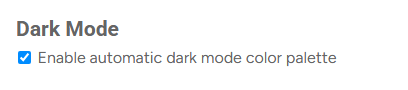
That setting is all I know about. I had it enabled already and without any other intervention from me, dark mode is now working. I’m using the latest Firefox on Win10. Maybe there’s a browser issue on your end. Have you tried clearing the cache for this site in addition to the log out / log in?
1 Like
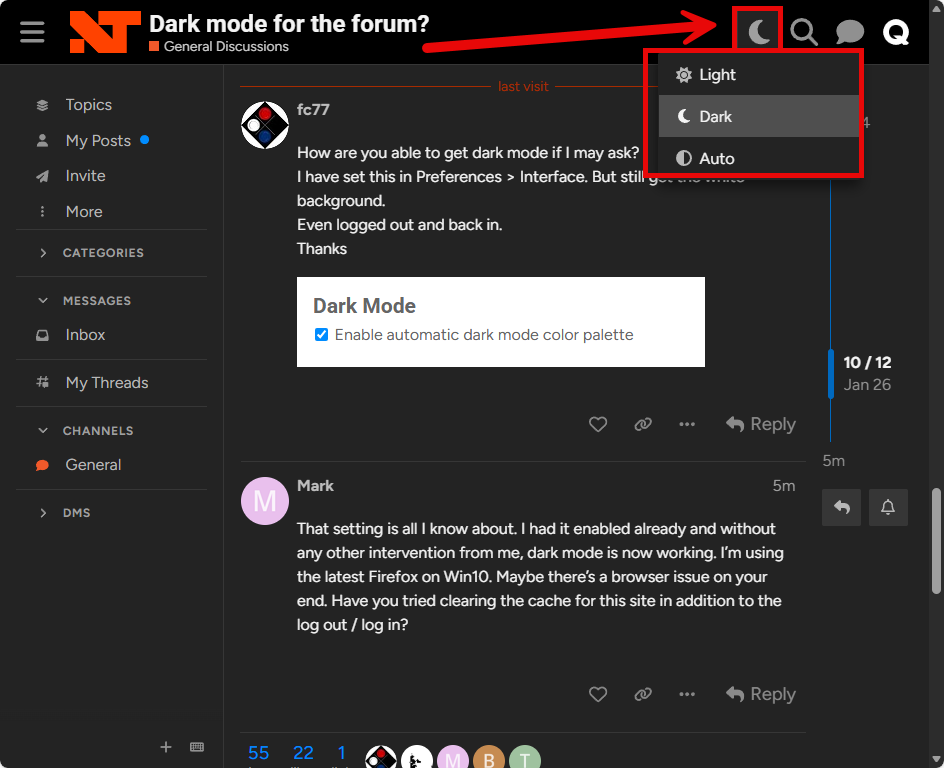
Nice! Now there is the icon in the upper right of the forum that lets you choose light or dark mode, like this, and it worked for me:
3 Likes
Excellent, working now. Thank you @Quagensia.
Completely missed that new icon in the top right corner.
That did the trick for me. This is so much nicer.
Thank you everyone for responding and making this happen.
2 Likes
Since we do have dark mode now but palette controls are still hidden:
If you want pure black background, for OLED or mini-LED monitor like this:
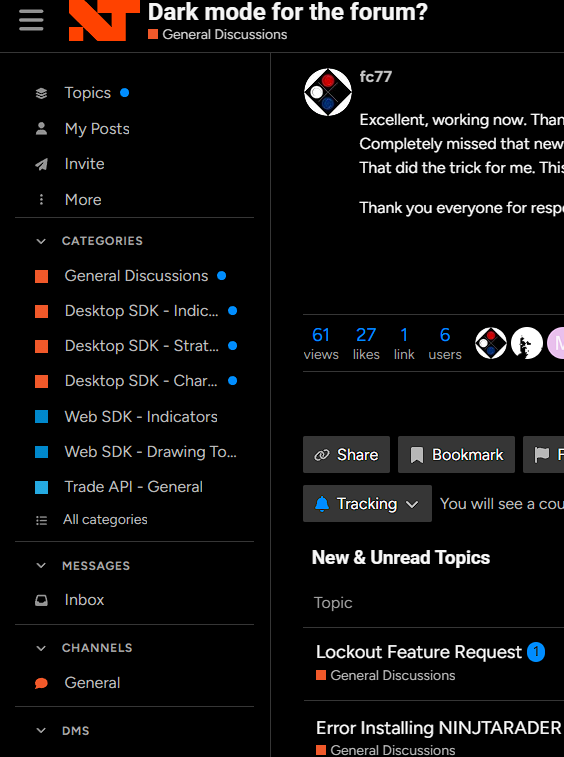
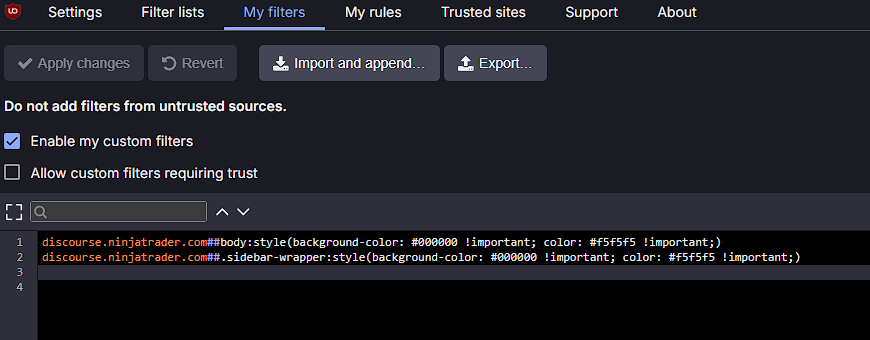
You can install ublock origin and add following to my filters:
2 Likes
Thanks Ninja Team, Ray !!!
Superfast 
3 Likes
Same here, had DM enabled/not working. Went to already open page which thus refreshed and automatically became dark on refresh/tab becoming active
1 Like