Is the original entry still unfilled when you cancel it, or are you closing a position after it filled? Those need different checks.
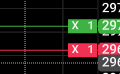
I would reproduce it once in simulation with the Orders panel visible and record the entry and stop IDs, their states, and the remaining position quantity before and after the cancellation. That separates a chart marker from an order that is actually still working, and shows whether the stop belongs to that entry or was placed separately.
If an unfilled entry is confirmed cancelled but its attached stop remains working, send that order-ID sequence to support as a reproducible linkage problem. If the entry already filled, include how you closed the position. Which of those two sequences are you seeing?
Thanks, that clears it up. I made the first reply too technical.
You cancelled the entry before it filled, but its stop stayed behind. You can send support exactly that sentence, plus the approximate time and a screenshot showing the remaining stop. Send account and order details privately to support, not here.
Ask them whether that stop was actually linked to the cancelled entry, and how cancellation is meant to work for that order type in NT Web. I cannot confirm an auto-delete switch from the information here. There is no need to recreate this on a live account just to explain it.