I’m trying to create an indicator that places orders on the chart using either buttons on the panel /hotkeys or mouse clicks on the chart. I need it to be an indicator so that it works with the selected account and ATM strategies on the chart trader (ie. I don’t want it to be a strategy that I have to load each time and change everytime I switch accounts). I was looking to get guidance on where to start that to be able to to create orders with an indicator. I currently use a third party plugins that load as an indicator and place orders on the chart so I know its possible. If someone can steer me in the right direction, it would be helpful.
Adding buttons and other controls to Chart Trader is probably non-trivial for the novice coder. But still, if you are determined, it can be done.
You can look here for some example user app code to add buttons to Chart Trader.
Even though that app is packaged as a strategy, the concepts of adding buttons to Chart Trader for an indicator are exactly the same.
As far as your indicator submitting orders (from one of your custom Chart Trader buttons, for example), utilizing the current Chart Trader settings, here is some code to get you started,
private void ChartTrader_SubmitOrder(int OrderDirection)
{
    ChartControl.Dispatcher.InvokeAsync((Action)(() =>
    {
        Account a = ChartControl.OwnerChart.ChartTrader.Account;
        int quantity = ChartControl.OwnerChart.ChartTrader.Quantity;
        AtmStrategy atm = ChartControl.OwnerChart.ChartTrader.AtmStrategy;
        Instrument instr = ChartControl.OwnerChart.ChartTrader.Instrument;
        Order o = a.CreateOrder(instr, OrderDirection > 0 ? OrderAction.Buy : OrderAction.Sell, OrderType.Market,
                                OrderEntry.Automated, TimeInForce.Day, quantity, 0, 0, "", "Entry", Core.Globals.MaxDate, null);
        if (atm == null)
            // AtmStrategy was set to 'None' in ChartTrader
            a.Submit(new[] { o });
        else
            NinjaTrader.NinjaScript.AtmStrategy.StartAtmStrategy(atm, o);
    }));
}
You could edit Trading From Chart indicator from Ninjatrader Ecosystem.
IIRC, latest Ninjatrader version had added some new ways to place orders with mouse/hotkey.
Even though you posted your inquiry in the ‘Web SDK - Indicators’ forum, I assume you’re really asking about building an indicator in the classic desktop version of NinjaTrader, right?
How do I know that?
Well, I’m not familiar enough with the web or mobile versions of NinjaTrader to really know, but when I see terms like NinjaScript and ChartTrader, those terms are only relevant (I think) when discussing the desktop version of NinjaTrader.
AFAIK, web and mobile versions of NinjaTrader do not use NinjaScript. Thus, using NinjaScript is, by definition, a desktop only thing.
One thing that always really annoyed me about using CreateOrder() is that although you can create an order with an ATM, once created you cannot scale in like you can do if you click Buy Market. Every single order creates its own ATM Bracket, it’s like the ATM collection copies the ATM every time and once copied, you cannot target the copy from an Indicator, so it just creates a fresh ATM. I would love to be proven wrong.
Scaling in with a position active (originated with an
ATM or otherwise) would require a different approach.
To scale in:
Create the new entry order and just submit it, no ATM.
Modify the quantity of the active profit target order.
Modify the quantity of the active stop loss order.
To do that, setup a handler for the account’s OrderUpdate callback to capture the profit target
and stop loss order references, so that you can
update the quantities later using the account’s Change method.
–Begin Rant–
For all you NT support people lurking in these forums, who
might be reading this and other threads – this is exactly
why your lack of participation makes your new support
parameters so utterly full of shitty smelly donkey balls.
Why?
Because this would be an absolutely GREAT moment to
step in and provide an official answer! To comment on
this thread, and definitively state whether an ATM generated
profit target and stop loss order can be modified via the
NinjaScript Account ‘Change’ method – gee, it would
really be good if y’all could help out.
But nooo… some ass-wipe executive some where has
decreed that NT support must not extend to the public
forums. An appalling lack of respect for your users.
This was and will always be an absolutely stupid business
decision. One of NT’s worst ever, I still can’t believe it.
[The required password in the 8.1.x.x desktop is my pick
for the #1 all time stupid NT business decision.]
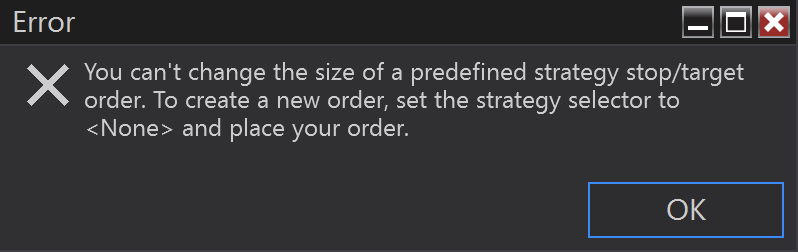
ok, I actually tried it and can confirm it 100% works. Very strange why they stop you modifying quantities of stop/target manually but allow it via code.
Just an update on this if anyone ever tries it. To scale into and control ATM orders you need to link the currently selected ATM to the relevant Orders . Once an order is placed, the ATM Selector immediately updates to show a new instance of the ATM so in theory you can use ChartControl.OwnerChart.ChartTrader.AtmStrategy.Id to get the instance ID.
but it’s too late, the Order process completes before the ID is updated in the combobox. Instead you have to get it from:
var newAtm = myAccount.Strategies[myAccount.Strategies.Count - 1];
But seems like not the safest way to get it so the order object has an undocumented method GetOwnerStrategy() which returns the instance of the ATM that will eventually populate in the selector.
submit ATM Order(1)
Grab ATM Instance ID
Order remains unfilled:
Submit Another Order(2) that you intend to scale/merge with ATM using same instance ID
Order(2) fills.
It tries to modify stops/targets that don’t exist because the original order didn’t fill yet.
NT must use some internal trickery to allow 2 unfilled orders on the chart at the same time that can merge into the same ATM. As CreateOrder() requires specify the ATM at time of submission.
In the example above. You’d have to submit every single order with StartATM unless a position actually exists. Then whichever order fills first, you’d have cancel the other orders, resubmit them to scale in. Unless there’s some other way.