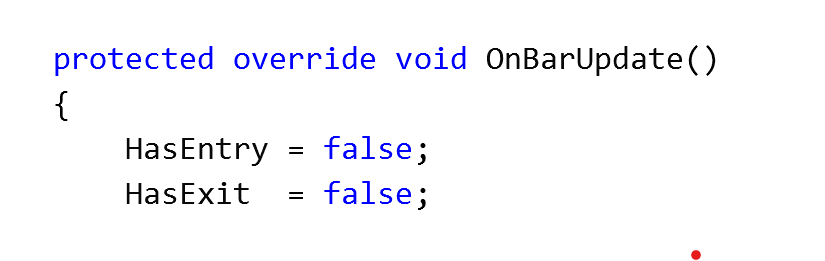
I’m happy to help as best I can. Working with multiple timeframes and instruments can be a little tricky to get the timing right. I highly recommend reading this documentation page: Multi-Time Frame & Instruments to get more familiar with when/how the OnBarUpdate() calls will happen. It’s hard to say if this is the source of your problem without knowing the primary data series to which your strategy is attached. Is it also a 5 minute series? I don’t see anything in your code that’s glaringly wrong, but I do have some ideas that may help.
Personally, I’ve never used indicator properties to report state directly the way you are with HasEntry, HasExit, etc. I would be concerned that the reset would be happening out of sync. Typically, I use the Values array to communicate with a consumer. So for example, to report when the indicator has an entry I would do something like this:
if(signalFound)
    Values[0][0] = 1;
else
    Values[0][0] = 0;
Then in the strategy you can check the indicators state just like any other value. It’s also nice because you can now plot the value of the signal and see how it aligns with the data. You can also make it more convenient to the consumer by defining a property in your indicator. For example:
public Series<double> HasEntry { get { return Values[0];} }
Then the consumer can simply do a HasEntry[0] to get the signal state of the indicator’s “current” bar. I put current in quotes because again, the timing can be a little tricky when there’s more than one series involved.
If you want to output lots of things from your indicator all you have to do is AddPlot() to add more series to the Values array (similar to how AddDataSeries adds to the BarsArray).
In scenarios like this, I’ve also had problems with indicators not being kept up to date (requiring a call to Update() to force the indicator to calculate). However, if the debug output you showed is coming from a strategy run, then it appears your indicator is getting data just fine. I would be suspicious of a timing issue.
One thing you could do is add another print statement when you reset HasEntry in your indicator
if(HasEntry) Print(Time[0] + " | Resetting HasEntry");
HasEntry=false;
Then if your debug output shows the signal found and reset before the next strategy “bars in progress 1”, you’ll know it’s a timing issue.
While you can do a lot with just print() debugging, another great option is to use visual studio to debug the code as it is running. However, if you’re new that may be too advanced.
Hope some of that helps! And feel free to post as much code as you’re comfortable with. There’s quite a few really smart coders who post here and may be able to offer advice.