When does the Auto Rollover activate. I’ve been expecting it for the past few days, and then I realized that I’m not clear on when and what initiates the Auto Rollover.
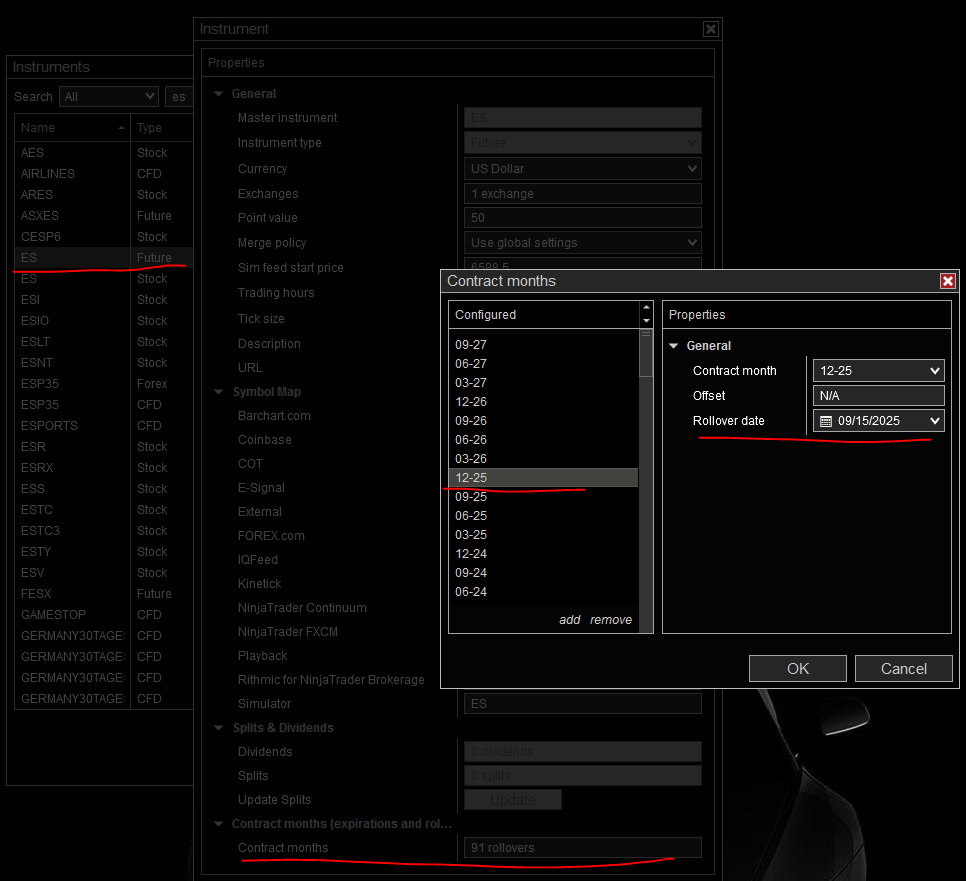
From Control Center go to Tools > Instruments, select your instrument, click edit.
Then scroll down to Contract months. Select the contract month you want and you’ll see the rollover date for your instrument.
Here’s a screenshot from ES for December contract. Lately for the indexes like ES and NQ, rollover has been the monday of rollover week. Rollover used to start earlier - Thu/Fri of prior week, but for some time now, it’s been on monday.
1 Like