Every time I add a new chart, I only get front month option. How do I add a different month or get a list of months in that commodity? This is all desktop. I have been using web version previously.
The NinjaTrader desktop interface is biased toward the front month.
As far as I know, there’s not a standard built-in list of non-front month contracts one can select from when opening a chart.
But there are a couple approaches you can take
1) You can just type it in
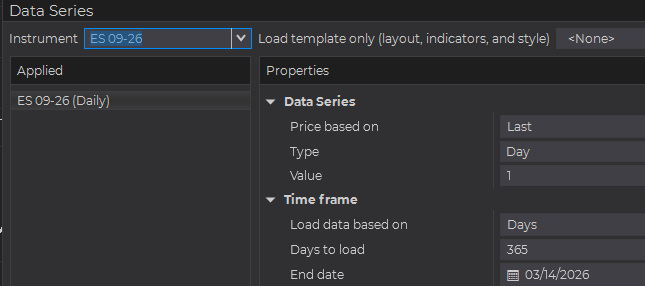
This also works after the chart is loaded. Just click on the chart surface then type your symbol ES 09-26 for example.
2) You can create an instrument list
Tools -> Instrument Lists
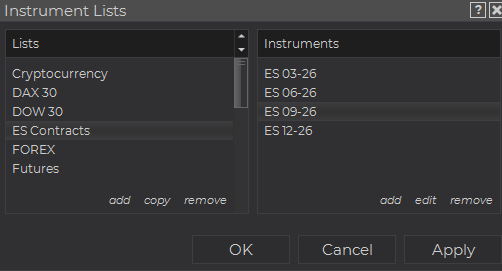
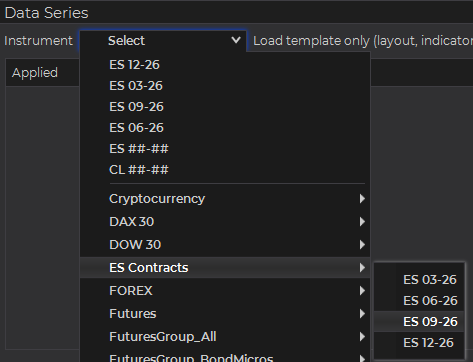
Then when you open a chart you can select your contract
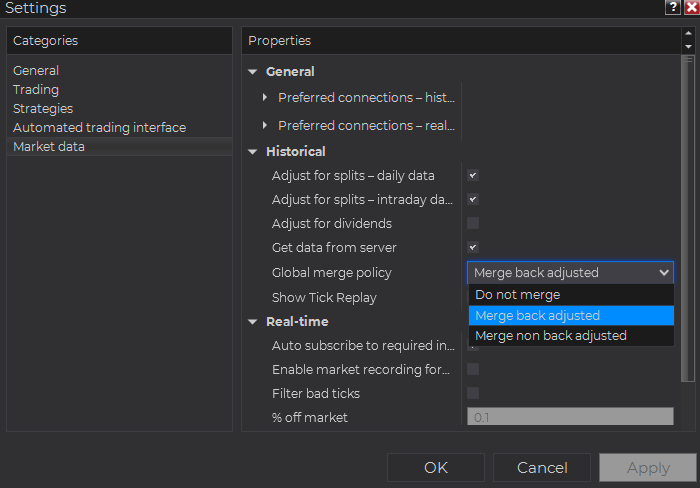
By default all of these will chart as back-adjusted continuous contracts.
You can control this in Tools -> Settings -> Market Data -> Global merge policy
Also, if you just want a reference of which contract months are available for a given contract:
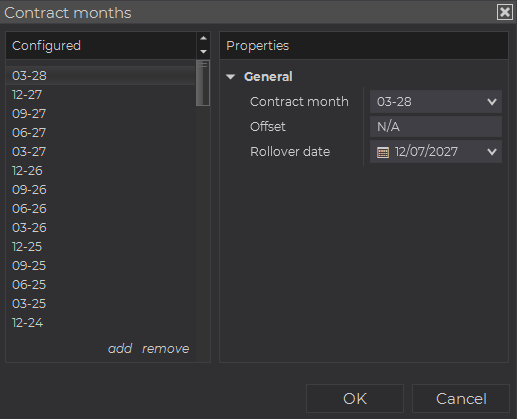
Tools -> Instruments -> Double-click instrument -> Contract months (at bottom) -> Click "N rollovers"
This shows past and future contract months for the instrument.
1 Like
Thank you, I have tried these options, but I am still unable to get a list of all contract months. Any other suggestions?