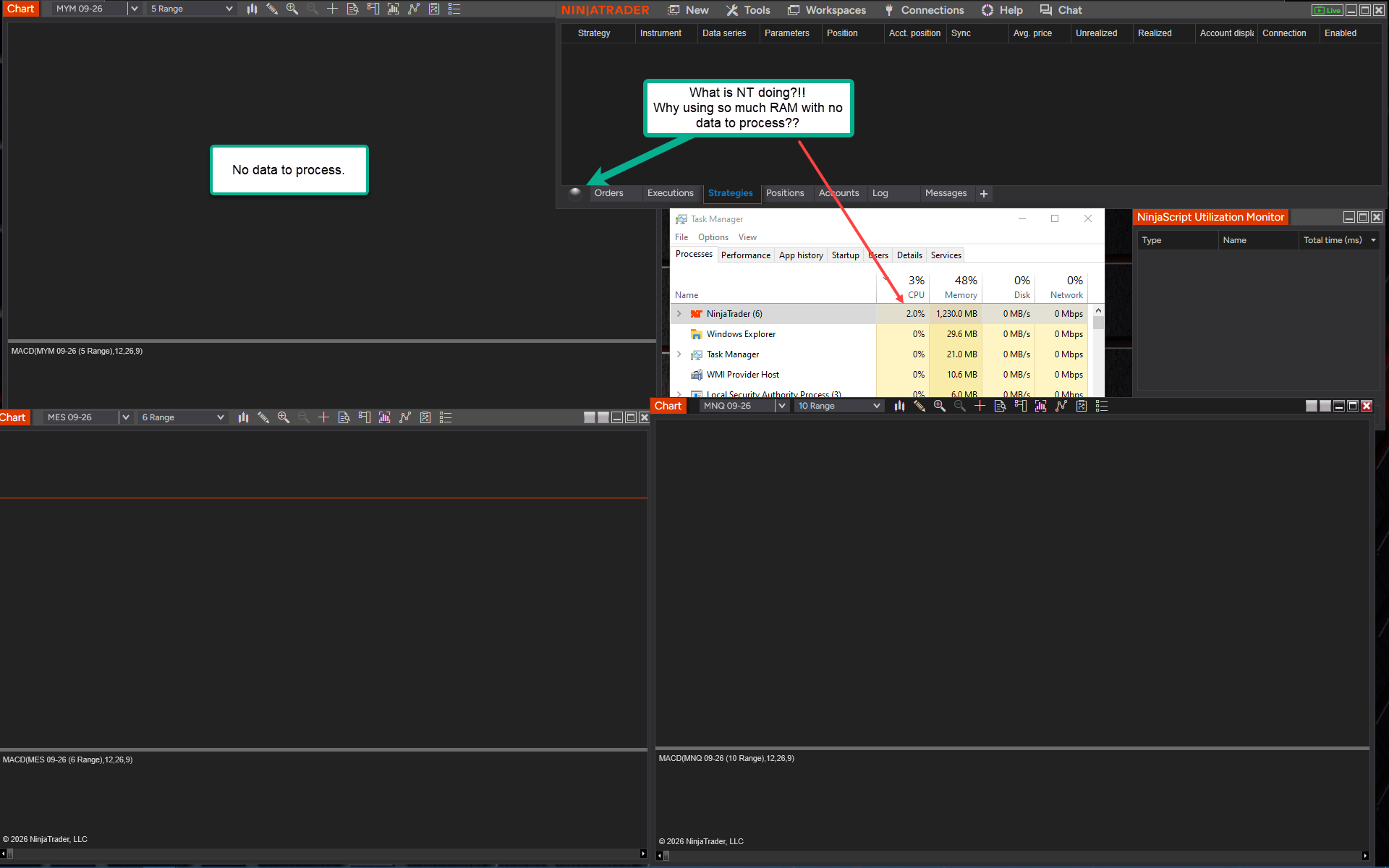
Anyone know why NT (8.1.8.2) is using the CPU so much, and 1.2GB of RAM when there is NO chart data or datafeed to process??
This screenshot was taken about 5 minutes after the workspace opened, and as I write this the CPU usage is still running high for no data. I opened the NinjaScript Utilization Monitor to see what is running, but as you can see, Nothing. No wonder people are complaining about chart lockups.
Any ideas what is being processed?
1 Like
Are you a developer? Because when I’m heavily into coding and debugging and crashing and restarting, over and over, memory gets jacked exactly like your screen shot. Add a couple of indicators that tap a 1-tick data series and before you know it, you’re at 4 GB.
I hate to tell you this but the only thing that I’ve found that fixes it is a clean install, where you uninstall, rename your Ninja directory, then re-install as if you’re starting from scratch.
2 Likes
I would even add that developer or not, almost anyone can benefit from a clean install every so many months. NinjaTrader like Windows or any complex system accumulates cruft over time.
2 Likes
Thanks. Yeah, I’ve read that suggestion by NT support, in their old forum, many many times. Not a developer, but have use Claude to do some stuff. I don’t run any Tick replay stuff.
The weird thing is, on startup there is no datafeed connection, and in that day no historical data on the chart to process. So, what is NT chewing on?
I do delete the cache directory from time to time 
No idea… Normally, when I load Ninja and the login screen appears, Task Mgr says it’s taking up ~100 MB. When it gets like that - how you described, just the login dialog will go to 800 MB to 1.2 GB… just the login screen! That’s when I know I’m screwed and I need to take probably 45 minutes to rebuild everything.
The last version of NT has brought my machine to an absolute crawl also.
I have a indicator called “SystemHUD” that lets you see exact usage and performance data for N8. Can be downloaded here: NinjaTrader 8 Connection & System Health HUD (Free)