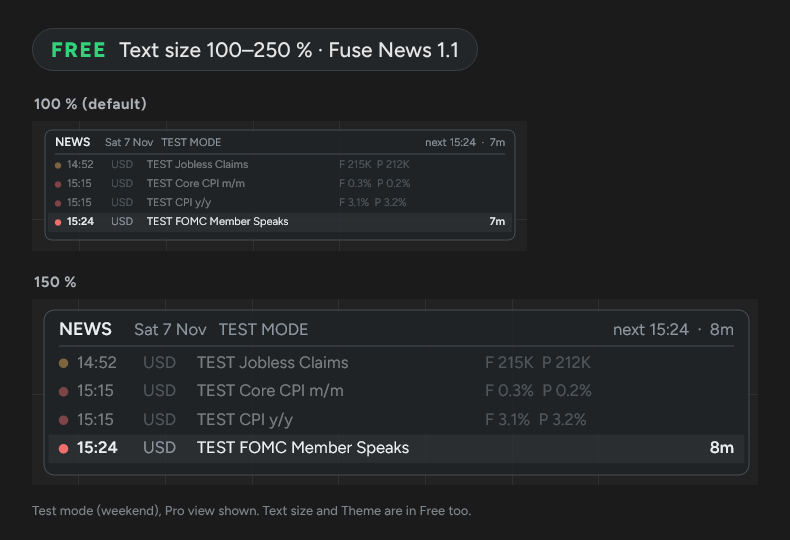
Hi all,
I scalp NQ during the New York session, and more than once I’ve been caught in a trade right as CPI or NFP hit. I got tired of keeping a calendar website open in another window, so I built a small tool that puts the calendar directly on the chart. I’ve been using it daily and figured others might find it useful too.
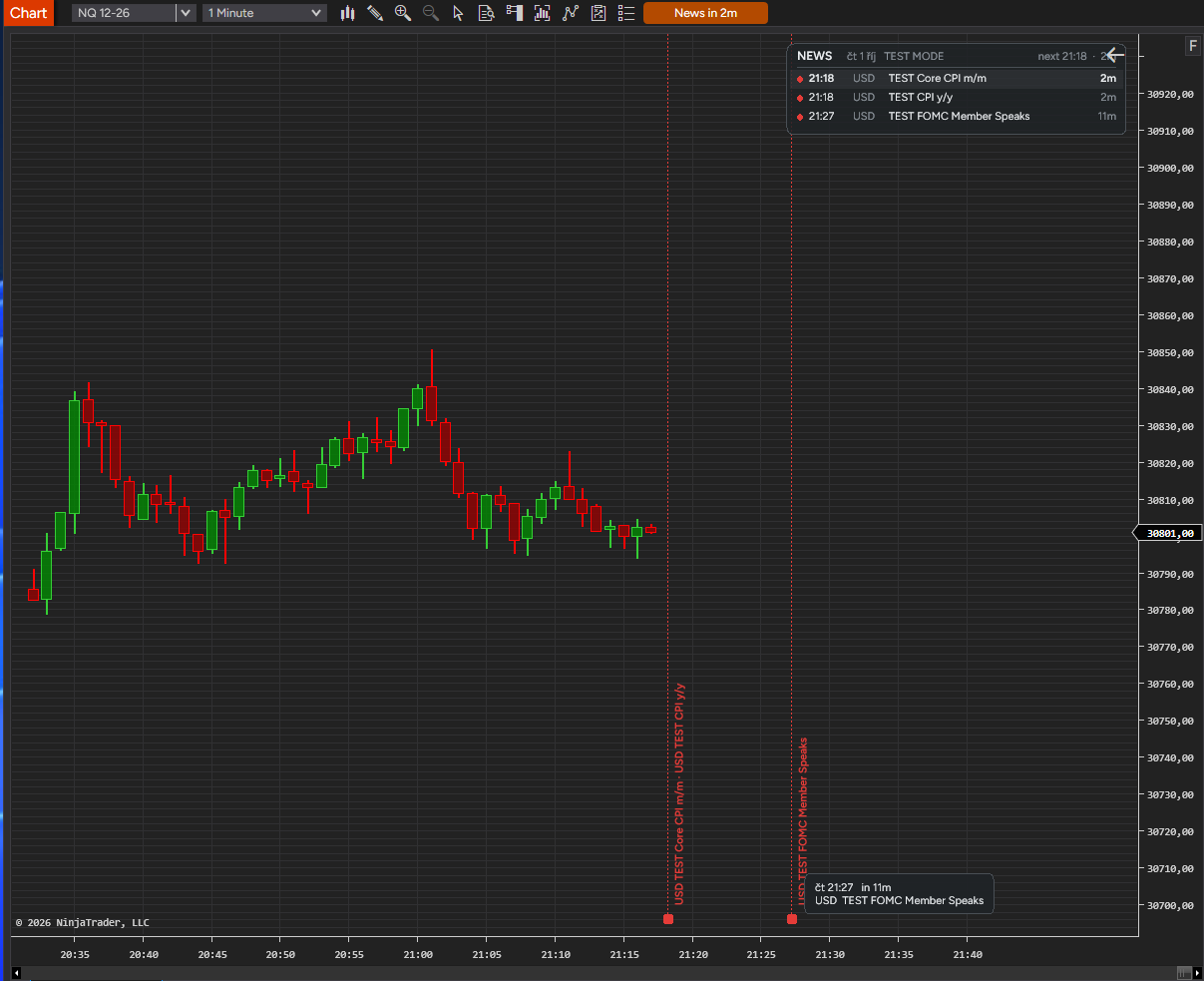
Fuse News Free on NQ. Screenshot taken in Test mode (fake events, hence the “TEST” prefix) so all elements are visible at once.
What you get in Free:
- High-impact USD events drawn as vertical lines on your chart, with the event name
- Agenda card on the chart: today’s events with countdowns, the next one highlighted, past ones dimmed
- Warning card 5 minutes before High-impact news, in the middle of the chart, with a Dismiss button
- Hover a line to see the event, its time and a countdown
- Test mode and Test alert, so you can see everything working without waiting for real news
- Everything runs from one button in the chart toolbar (click for on/off, right-click for settings). There’s nothing to configure in the properties.
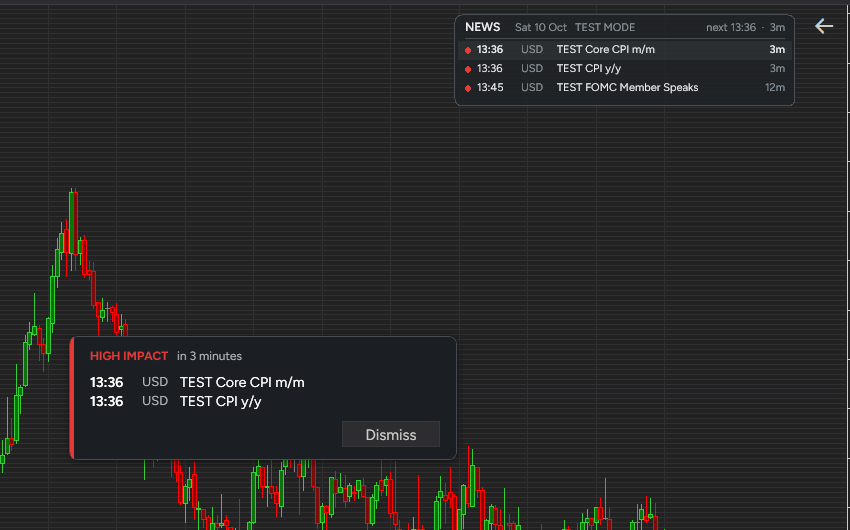
The warning card before High-impact news.
Times follow your NinjaTrader time zone. The calendar downloads in the background from a public feed and refreshes every hour, so the chart never waits on the network.
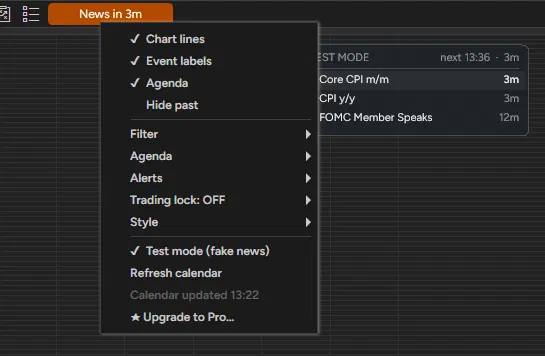
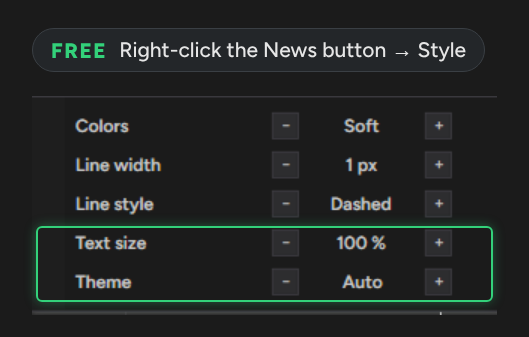
Right-click menu in Free.
Free download: FUSE NEWS FREE — Economic Calendar for NinjaTrader 8
No license key needed. Import via Tools > Import > NinjaScript Add-On. A PDF guide is included.
What the Pro edition adds:
Medium and Low impact events, more currencies, forecast / previous values, full alert options, and an optional trading lock that disables Chart Trader entry buttons around High news. Close and Flat always stay enabled. Free is fully usable on its own.
If you try it, I’d really appreciate feedback, especially bugs or anything that’s unclear. I’ll be checking this thread.
Fuse