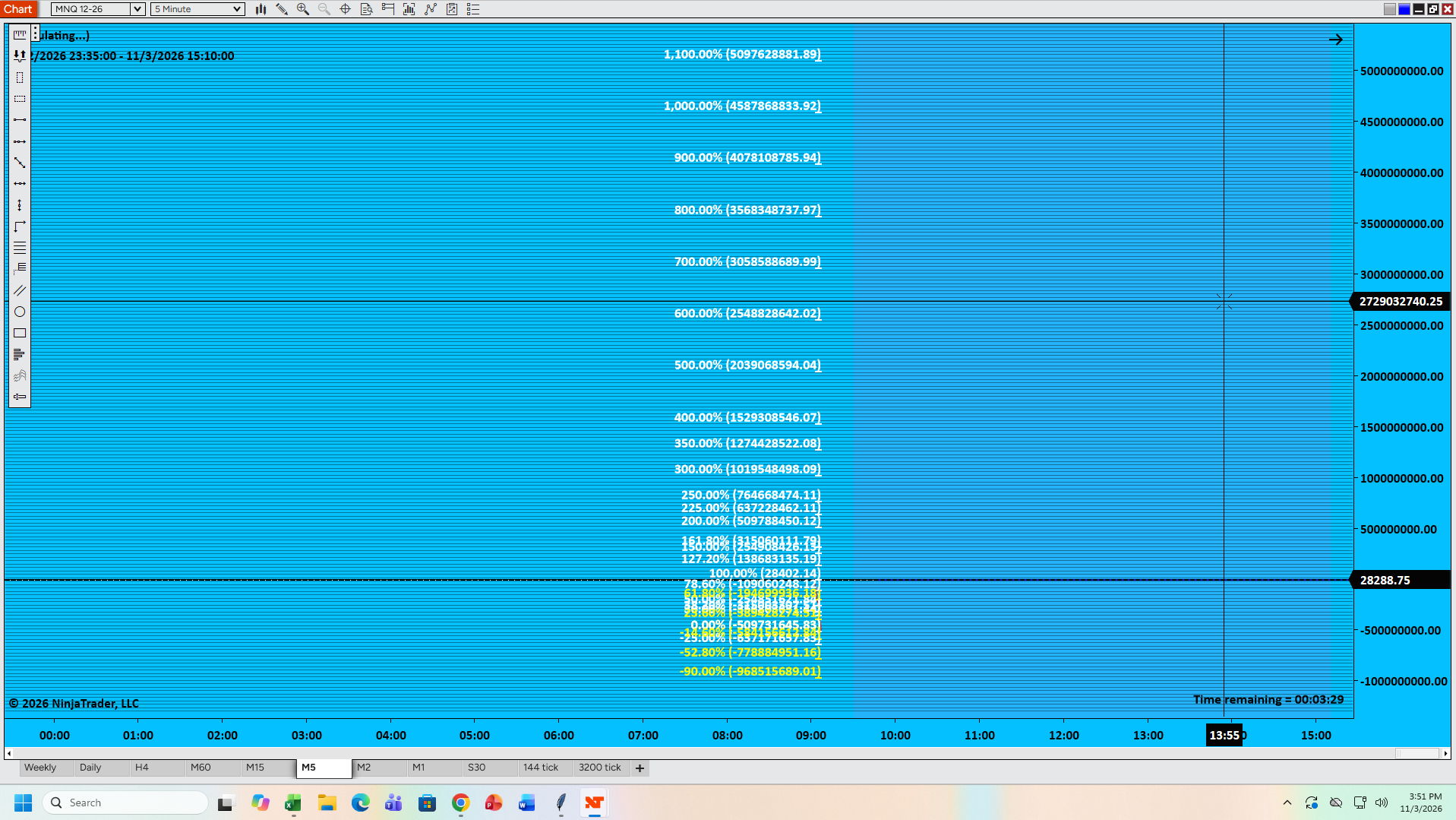
When I tried using the fib tool on my chart this morning on the MNQ contract, the scaling changed to astronomically large values, please see the attached screen shot and not the small graduations and the very large numbers in the right margin. I tried closing down NJ and reloading several times only to still have the issue. I then deleted the program and reinstalled the latest version of NT. This did not work either. I sill have the issue. It seems to only occur with the MNQ contract. When I load the NQ contract there are no issues. Please help me resolve.
Thank you,
Greg Miller
Greg, the huge numbers in your screenshot appear on the Fib levels too. I’d check that drawing before reinstalling anything again.
On the MNQ chart, double-click the Fib drawing and turn off Auto Scale in its properties. If there’s an F in the upper-right corner of the chart, click it to put the price scale back on automatic. If the candles return to normal, check the Fib’s anchor prices against the two bars you meant to mark. NinjaTrader’s guide: Operations > Charts > Working with Drawing Tools & Objects
Does the scale return to normal with Auto Scale off for that drawing?
Thank you for your help! Your recommendation worked well!
Greg